Cart Analytics provides insights and statistics related to customer carts, orders, and revenue.
It helps track cart activity, revenue generation, and identify recovered vs pending carts.
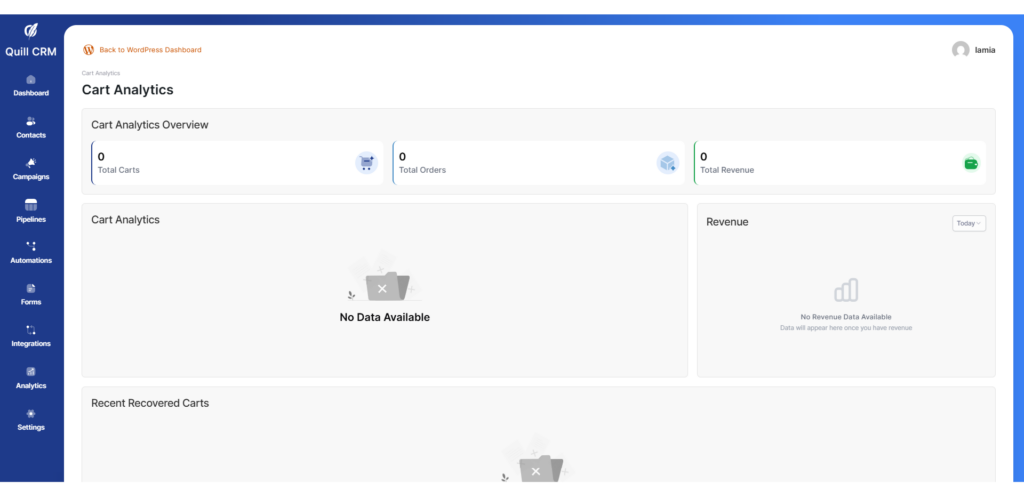
If there are no cards yet:
If there are cards:
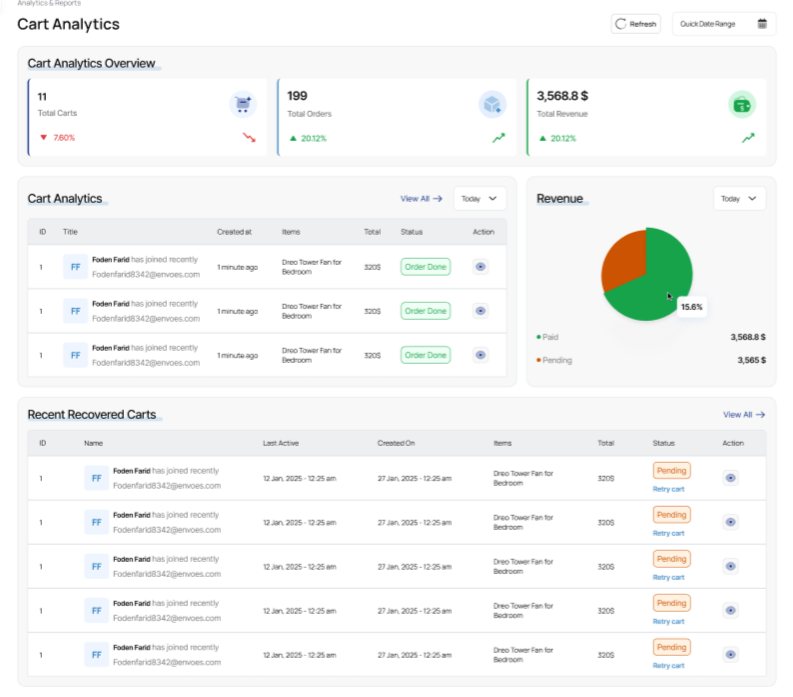
This section is divided into multiple parts, as shown below:
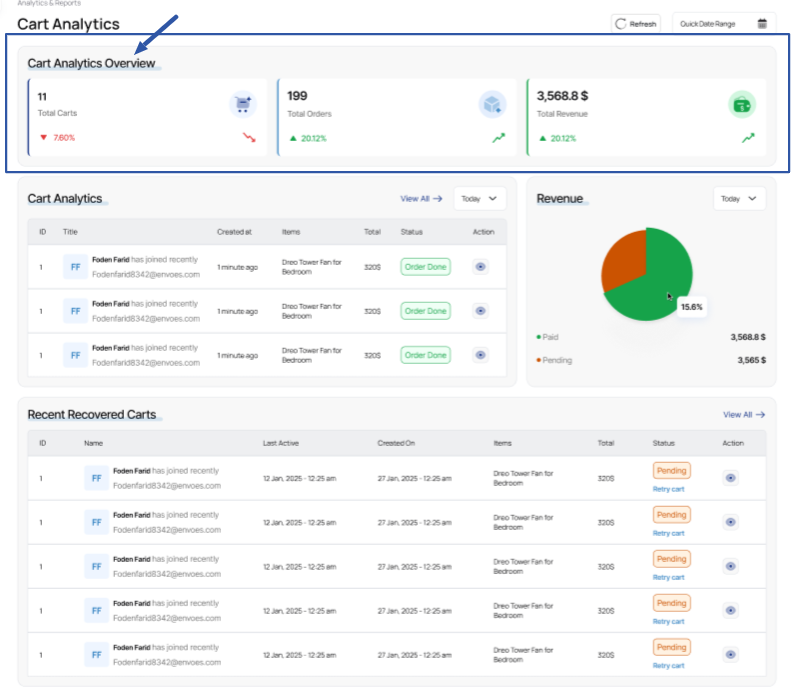
Cart Analytics Overview
Shows high-level metrics related to cart performance, including:
- Total Carts: Number of created carts.
- Total Orders: Number of carts successfully converted into orders.
- Total Revenue: Total revenue generated from completed orders.
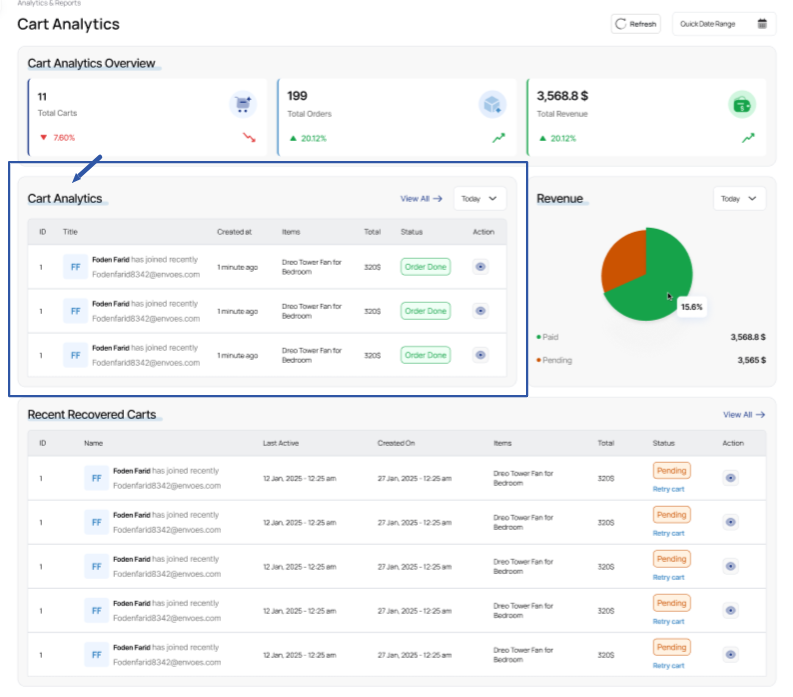
Cart Analytics Table
A table displaying cart records with essential details such as:
- Cart title/customer
- Items count
- Total
- Date created
- Status (e.g., Order Done, Pending)
- Action button if available (e.g., view / manage cart)
This helps monitor active and completed carts.
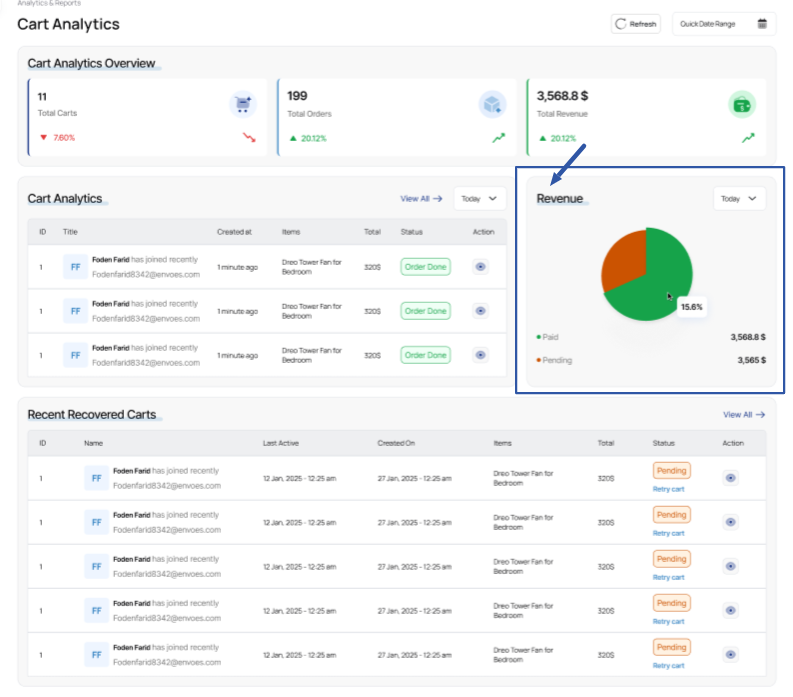
Revenue Chart
A visual pie chart that shows revenue distribution based on:
- Paid Orders
- Pending Carts
Useful for quickly evaluating conversion performance and revenue contribution.
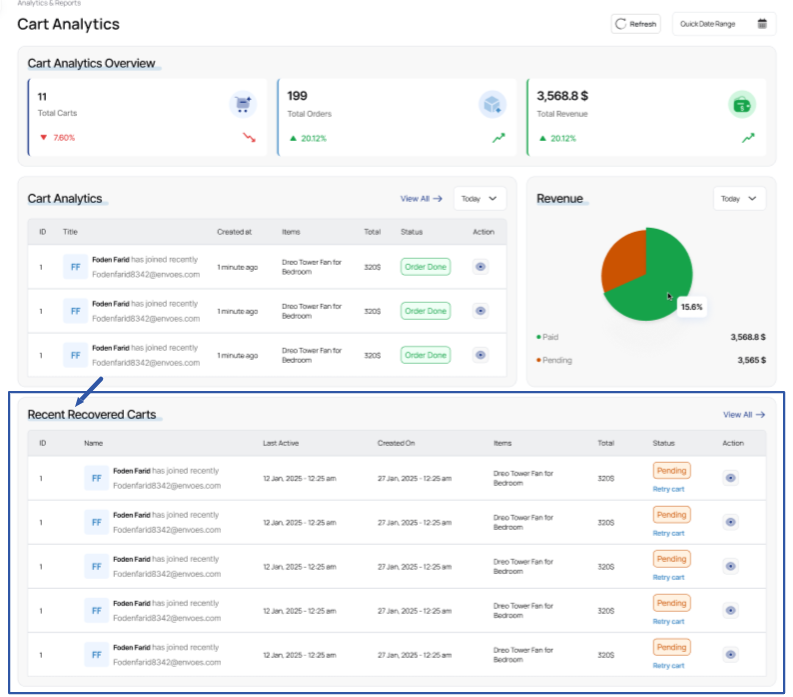
Recent Recovered Carts
Displays carts that were recovered after initially being abandoned or pending.
Each row shows:
- Customer name
- Last activity time
- Cart creation date
- Items inside the cart
- Status
- Action (like retry cart if supported)
This section helps track recovery success and follow-up actions.