






















QuillCRM Automations’s next-gen automation builder lets you view the journey of a particular contact in your automation.
This way you can trace and track your contact’s journey to each step in your automation.
To view the contact’s journey, you can either access it from:
- Workflow
- Contacts
In the Workflow tab, click on the Contacts tab and then click on View Journey.
Select the names of the contacts who triggered the automation here.
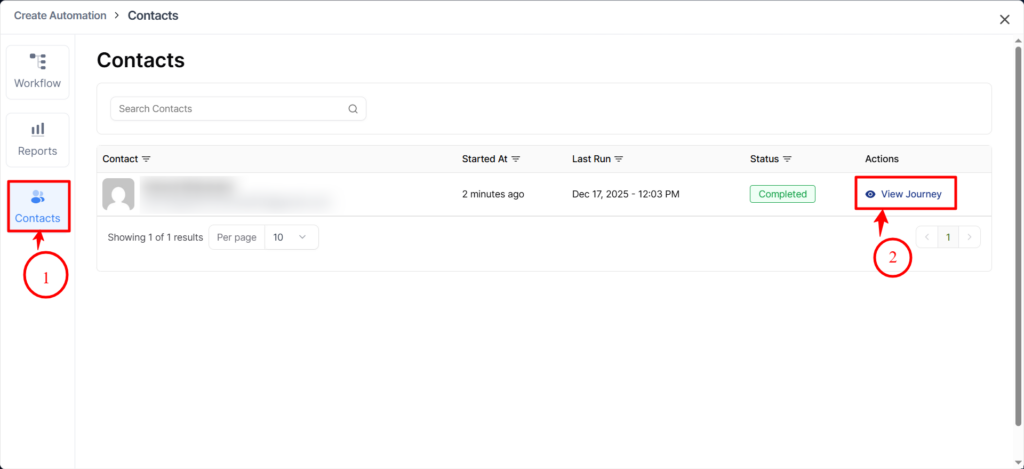
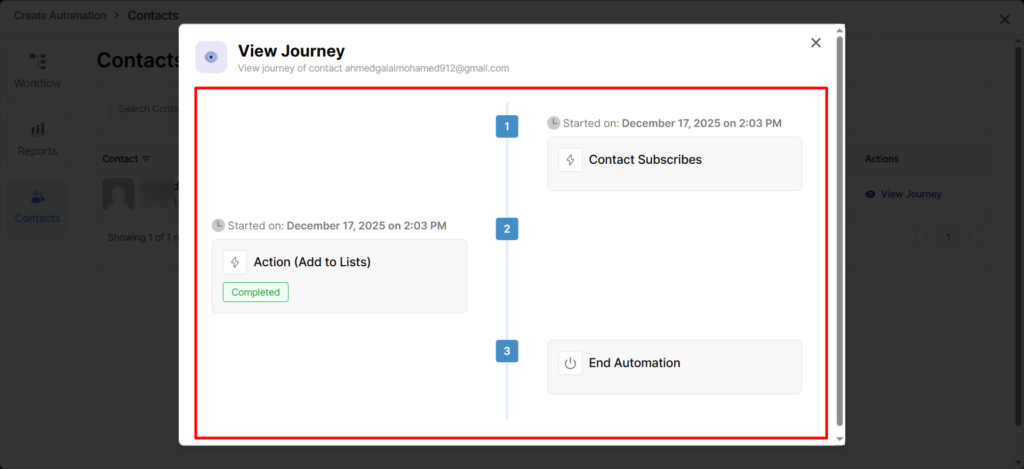
After clicking it, a pop-up window will appear showing all the steps that were processed for this contact, along with the status of each step.
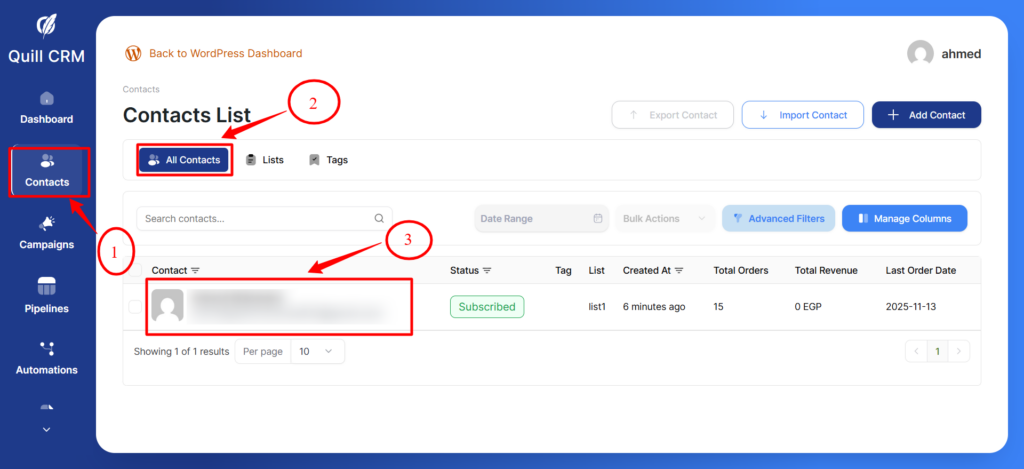
In the Contacts tab, click on the email contact to open the pop-up window.
After this, click on the automation tab and then click on the Journey button.
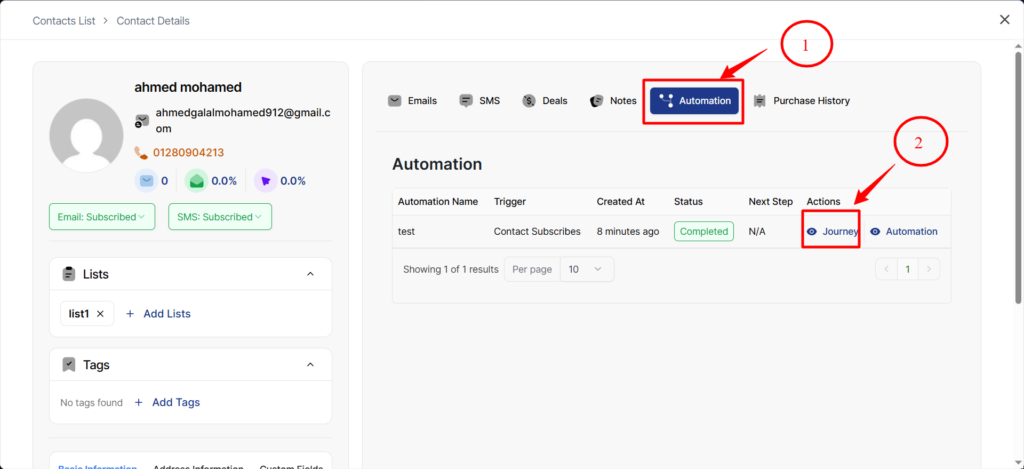
After clicking it, a pop-up window will appear showing all the steps that were processed for this contact, along with the status of each step.
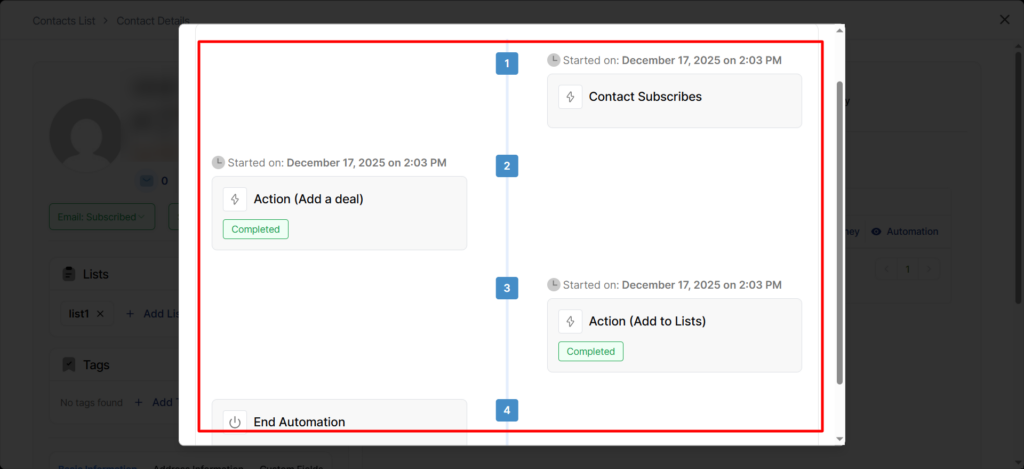
It’ll take you to the same workflow screen to see the journey of this contact.
Well, this was all about the Contact’s journey in QuillCRM Automations.