






















Merge tags are the personalized codes that bring in dynamic data values.
You can use merge tags within automations and broadcasts to communicate effectively with your contacts.
Quill CRM Automations has two types of merge tags:
- Contact-based merge tags
- Event-based merge tags
Let’s look at each one of them below.
Contact-based Merge Tags
These are the core merge tags that are available in every automation and broadcast.
Here are the core merge tags available in QuillCRM Automations:
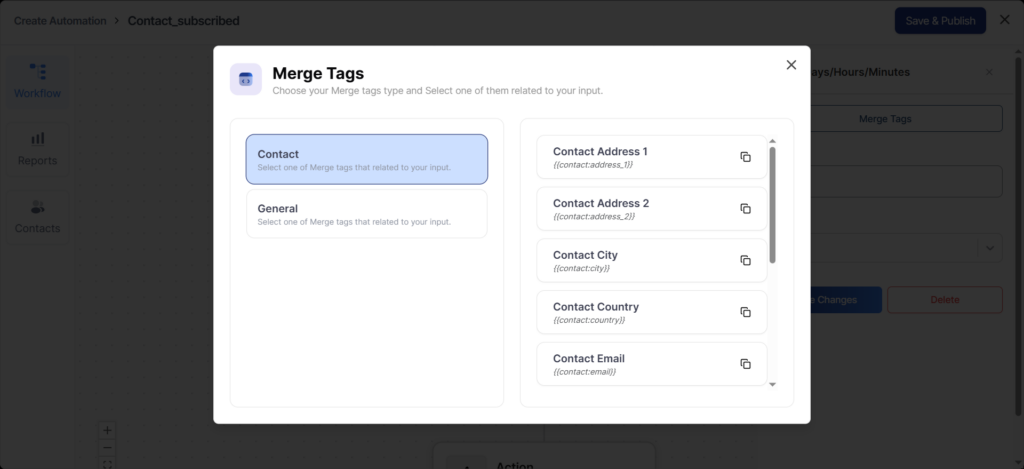
contact_address_1—Contact’s primary address
contact_address_2—Contact’s secondary address
contact_city – City the contact belongs to
contact_country—Country the contact belongs to
contact_email—Contact’s email address
contact_first_name – Contact’s first name
contact_last_name – Contact’s last name
contact_zip—ZIP/postal code of the contact
subscribe_link—Link to subscribe to emails
unsubscribe_link—Link to unsubscribe from emails
admin_email—Administrator’s email address
business_address—Business address
business_name – Business name
current_date—Current date
site_url – Website URL
Event-based Merge Tags
Event-based merge tags show when a certain event is selected.
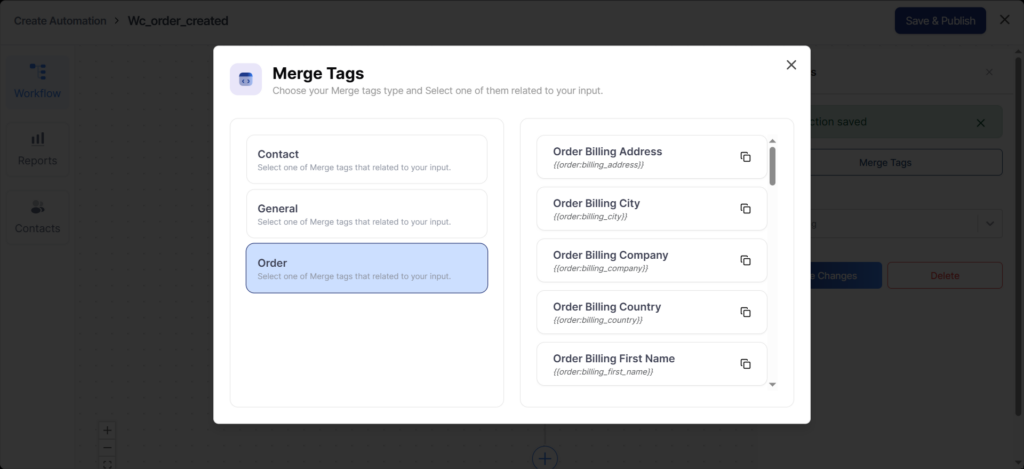
For example, if you select a new order that gets created on WooCommerce, it’ll list these merge event-based tags:
Here is the same content formatted in a clean, consistent definition style:
order_billing_address – Billing address of the order
order_billing_city – Billing city of the order
order_billing_company – Billing company name
order_billing_country – Billing country of the order
order_billing_first_name – Customer’s billing first name
order_billing_last_name – Customer’s billing last name
order_billing_phone – Customer’s billing phone number
order_billing_postcode – Billing postal code
order_billing_state – Billing state
order_confirmation_url – URL to confirm the order
order_coupons—Coupons applied to the order
order_cross_sell – Cross-sell products related to the order
order_currency—Currency used in the order
order_customer_note – Customer note added to the order
order_payment_method – Payment method used for the order
order_payment_url – URL to complete payment
order_shipping_address – Shipping address of the order
order_shipping_city – Shipping city of the order
order_shipping_company – Shipping company name
order_shipping_country – Shipping country of the order
order_shipping_first_name – Customer’s shipping first name
order_shipping_last_name – Customer’s shipping last name
order_shipping_phone – Customer’s shipping phone number
order_shipping_postcode – Shipping postal code
order_shipping_state – Shipping state
order_status—Current status of the order
order_subtotal – Order subtotal amount
order_tax—Tax amount applied to the order
order_total—Total order amount
order_view_url – URL to view the order details
As you integrate other plugins and CRMs, you’ll explore other merge tags, which can be used in QuillCRM Automations.