Setup Instructions
Follow these steps to configure bounce handling for Elastic Email:
Step 1: Get Your Webhook URL
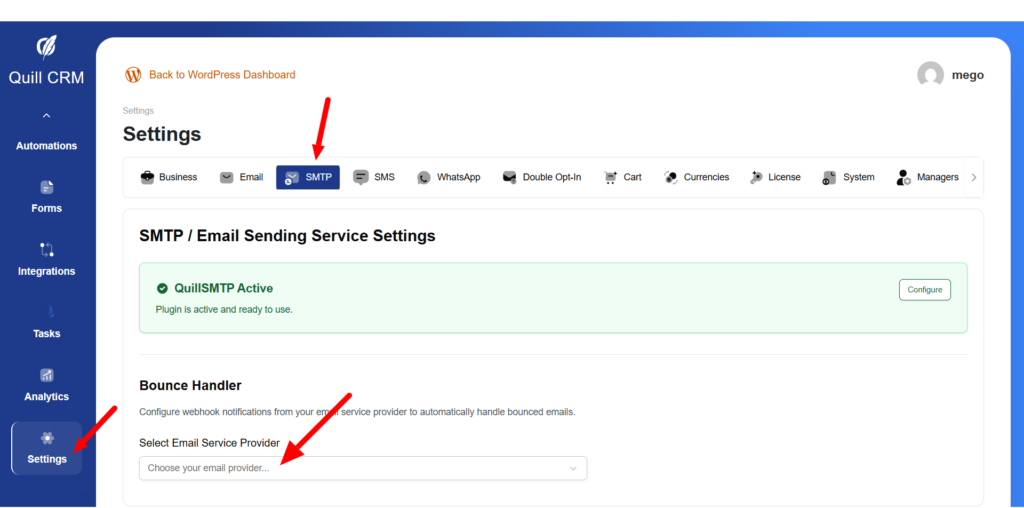
- Go to QuillCRM → Settings → SMTP→ Bounce Handling
- Find the Sendgrid section
- Copy the webhook URL provided
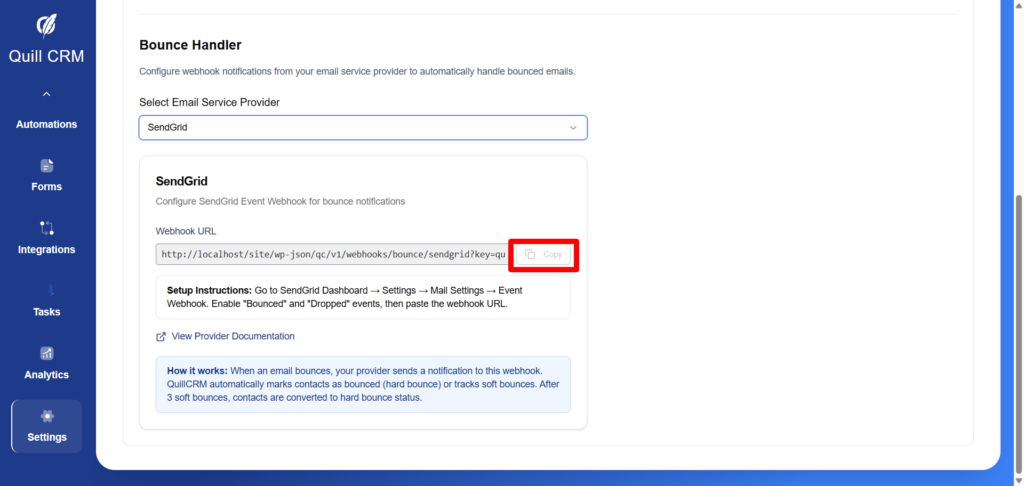
Your webhook URL will look like: https://yoursite.com/wp-json/qc/v1/webhooks/bounce/sendgrid?key=your_security_key
Step 2: Configure Sendgrid
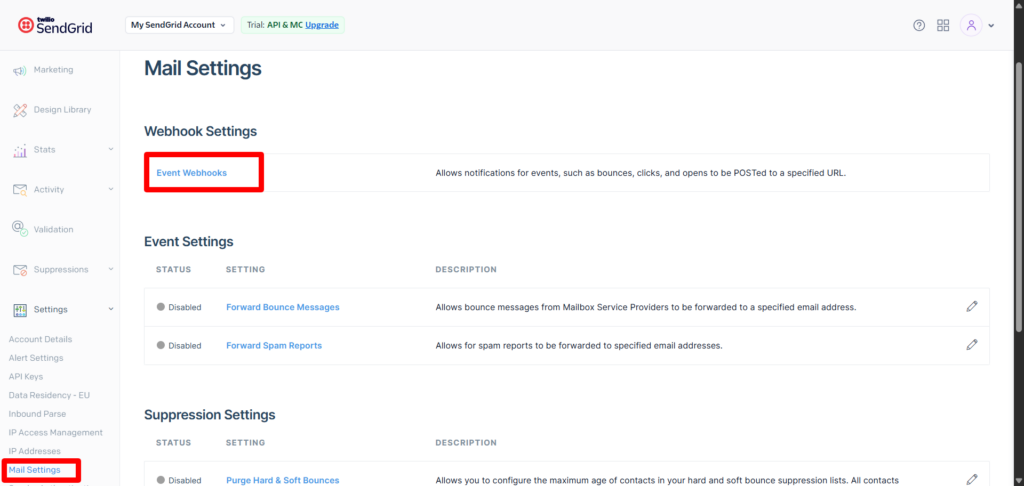
- Go to SendGrid Dashboard
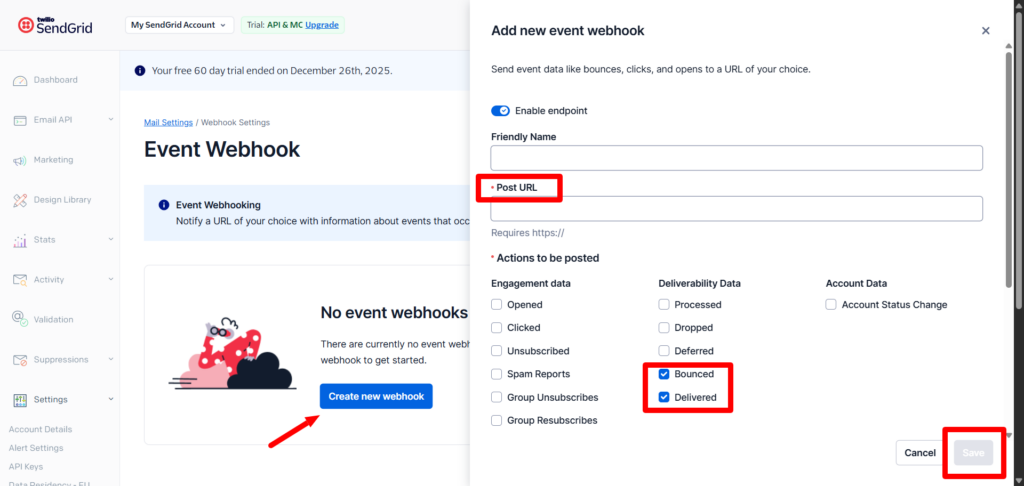
- Settings → Mail Settings → Event Webhook
- Enable “Bounced” and “Dropped” events
- paste the webhook URL.