






















Set-up Info
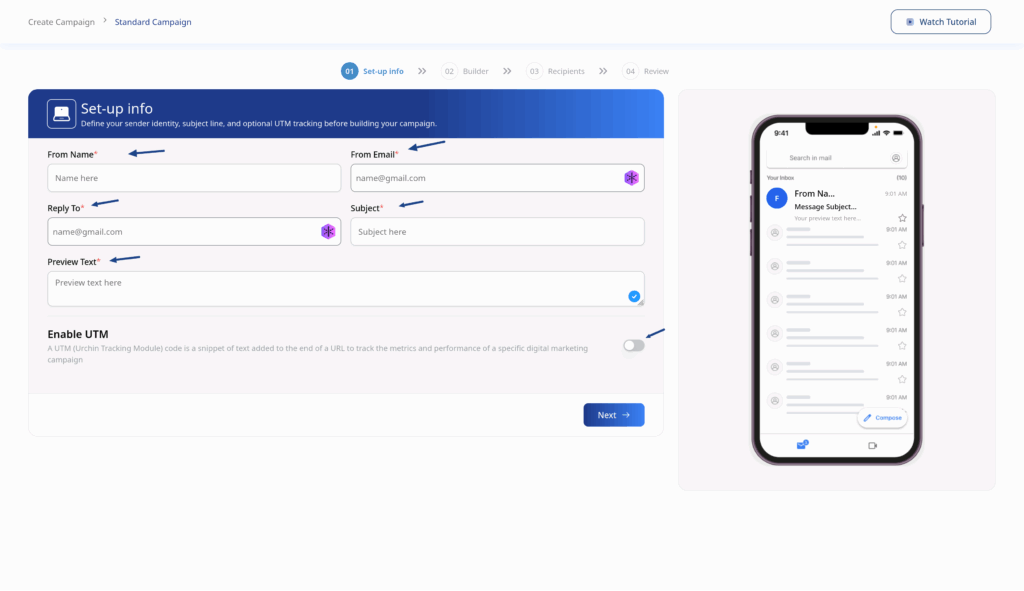
Configure your email settings before building your content:
| Field | Description | Required |
|---|---|---|
| From Name | The sender name recipients will see | Yes |
| From Email | Your verified sender email address | Yes |
| Reply To | Email address for recipient replies | Yes |
| Subject | Your email subject line | Yes |
| Preview Text | Text shown in inbox previews | Yes |
UTM Tracking (Optional)
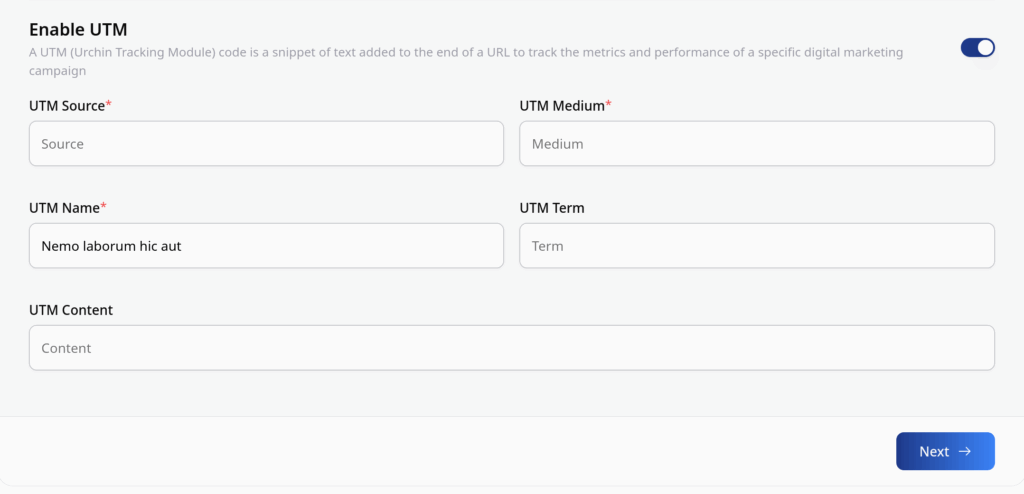
Enable UTM tracking to measure campaign performance in Google Analytics:
- Toggle Enable UTM to ON
- Fill in the required fields:
- UTM Source – e.g., “newsletter”
- UTM Medium – e.g., “email”
- UTM Name – e.g., “summer_sale_2024”
- Optionally add UTM Term and UTM Content
Email Builder
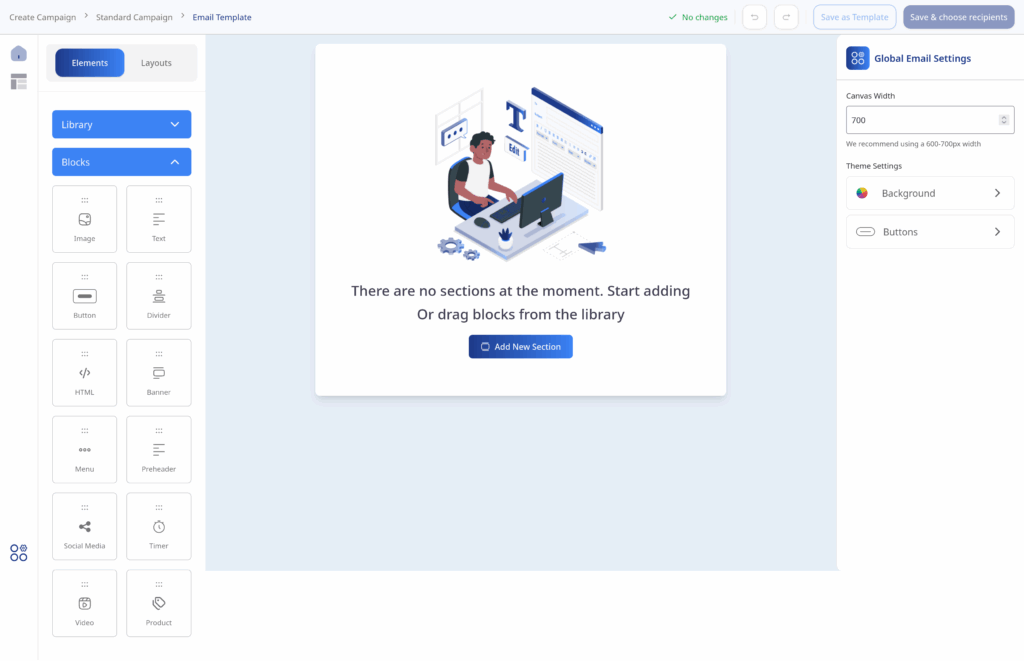
Design your email using our visual builder:
- Click Next after completing Set-up Info
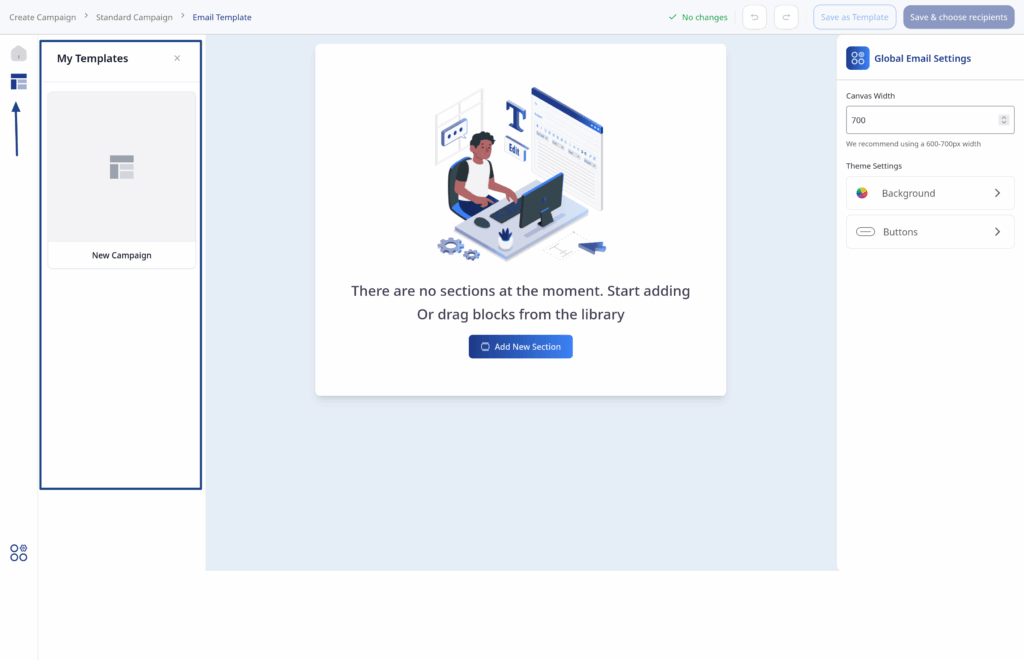
- Choose a starting point:
- Start from Scratch – Begin with a blank canvas
- Use the drag-and-drop editor to add blocks
- Use Template – Start from a pre-designed template
Personalization with Merge Tags
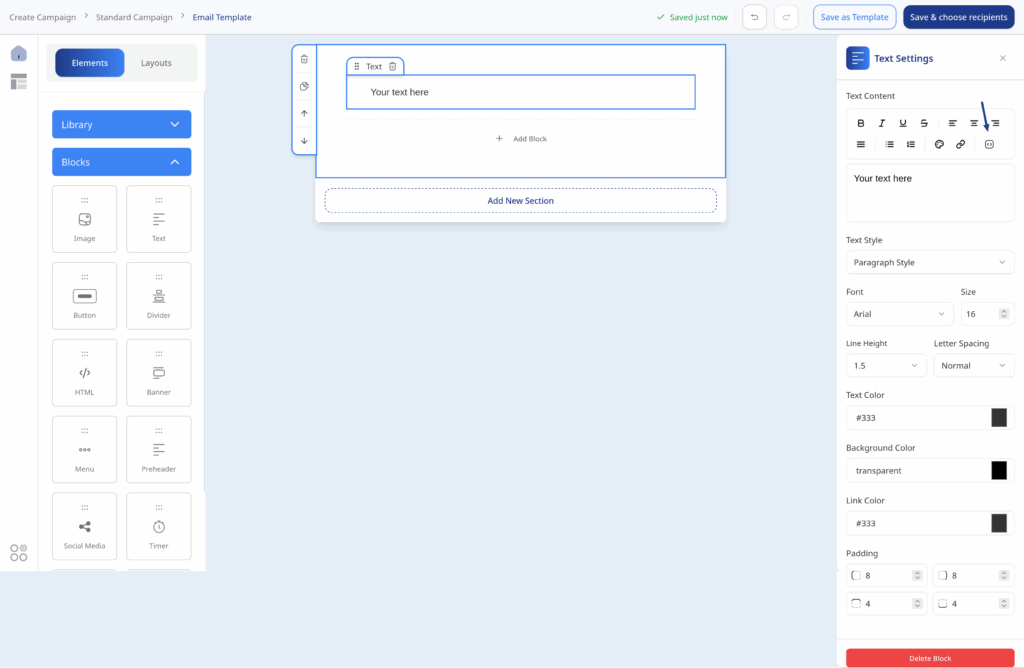
Insert dynamic content using merge tags:
| Merge Tag | Output |
|---|---|
| {{first_name}} | Contact’s first name |
| {{last_name}} | Contact’s last name |
| {{email}} | Contact’s email address |
| {{company}} | Contact’s company name |
- Pro Tip: Click the merge tags icon in the builder to see all available tags.