






















Filter Methods
Choose how to select your campaign recipients:
Option 1: Lists and Tags (Simple)
Quickly filter contacts by lists and tags:
Include Contacts:
- Click on the plus icon
- Select lists to include
- Select tags to include
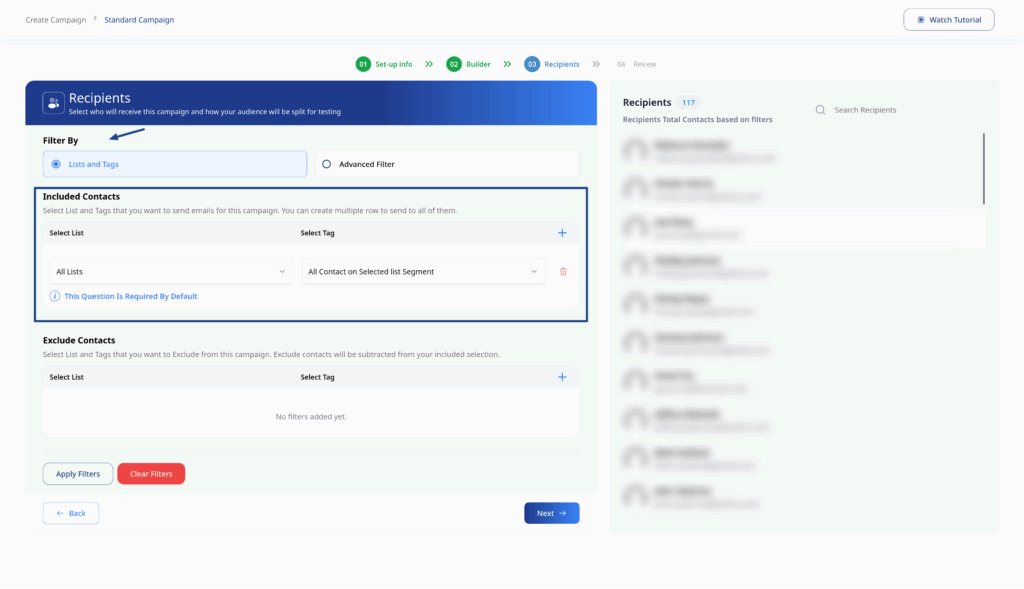
Exclude Contacts:
- Click on the plus icon
- Select lists to exclude
- Select tags to exclude
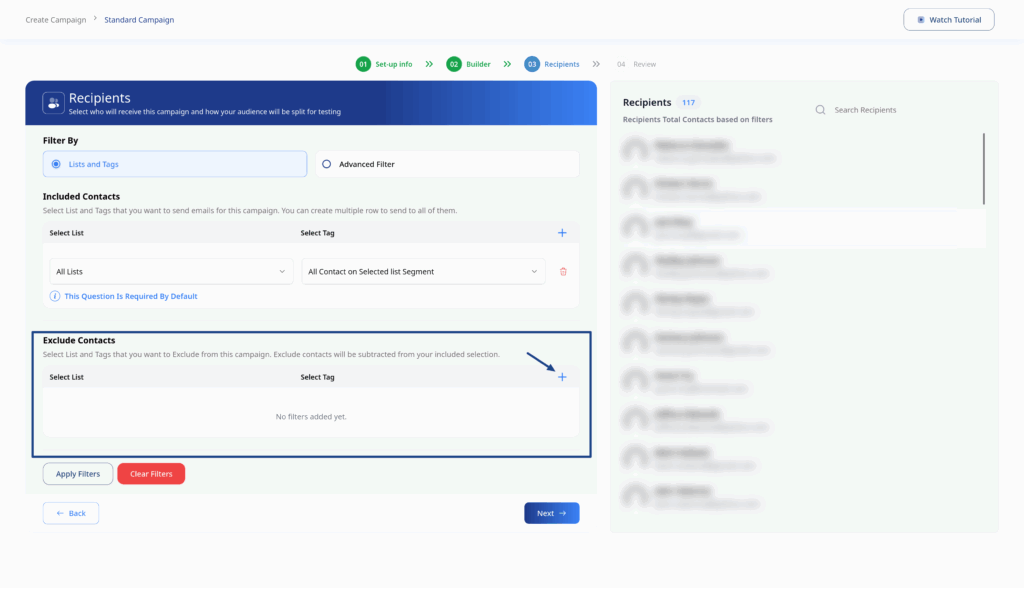
Click Apply Filters to preview matching contacts
Option 2: Advanced Filter
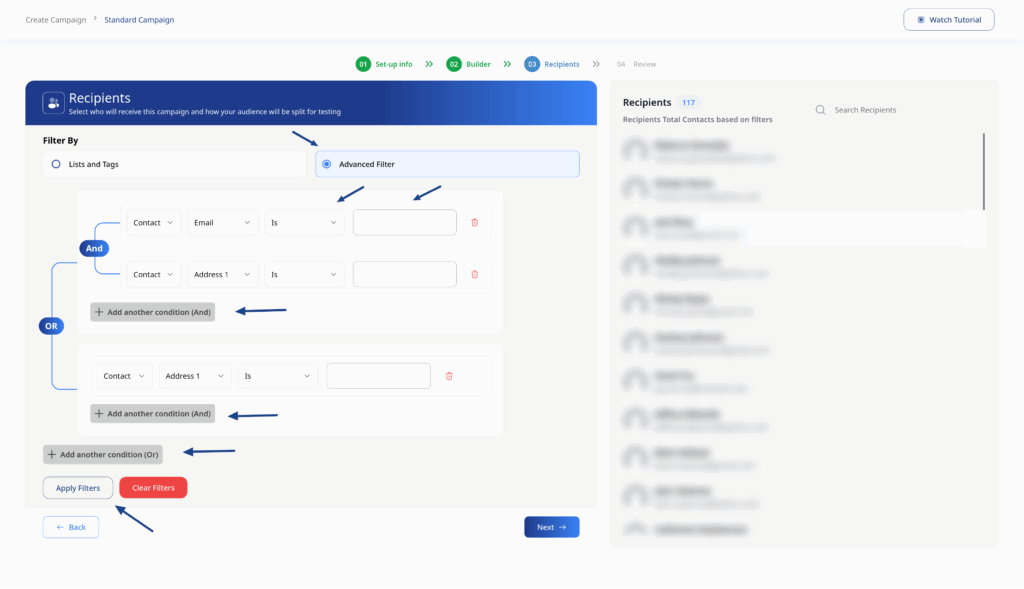
Build complex filters using multiple conditions:
- Select Advanced Filter
- Click Add Condition
- Choose filter criteria:
- Contact properties (name, email, location)
- Segment membership
- Order history (WooCommerce)
- Custom fields
- Combine multiple conditions with AND/OR logic
- Click Apply Filters to preview matching contacts
Recipient Preview
After applying filters, you’ll see:
- Total recipients count
- Preview list of matching contacts
- Contact details (name, email/phone)
- Pro Tip: Always verify your recipient count before sending. If the count seems incorrect, review your filter criteria.