






















Customize your dashboard view by selecting which data fields appear as columns in the contacts table.
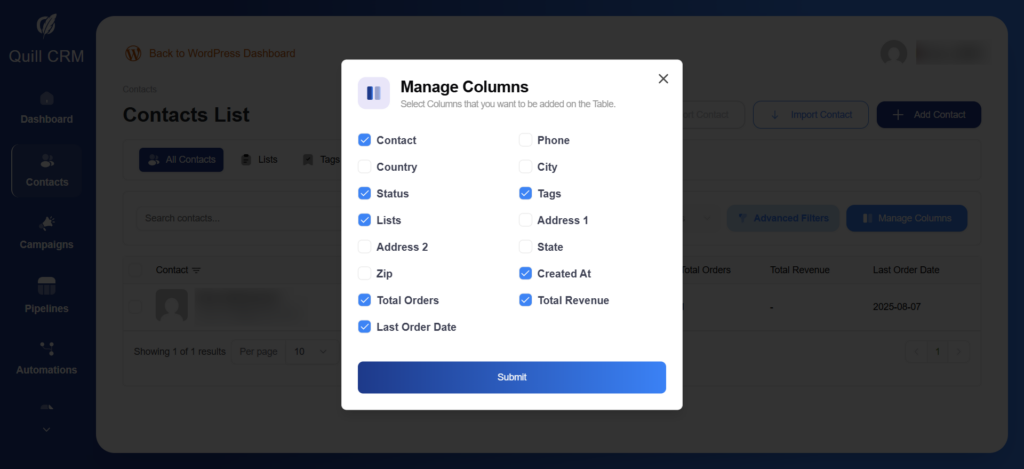
How to customize columns:
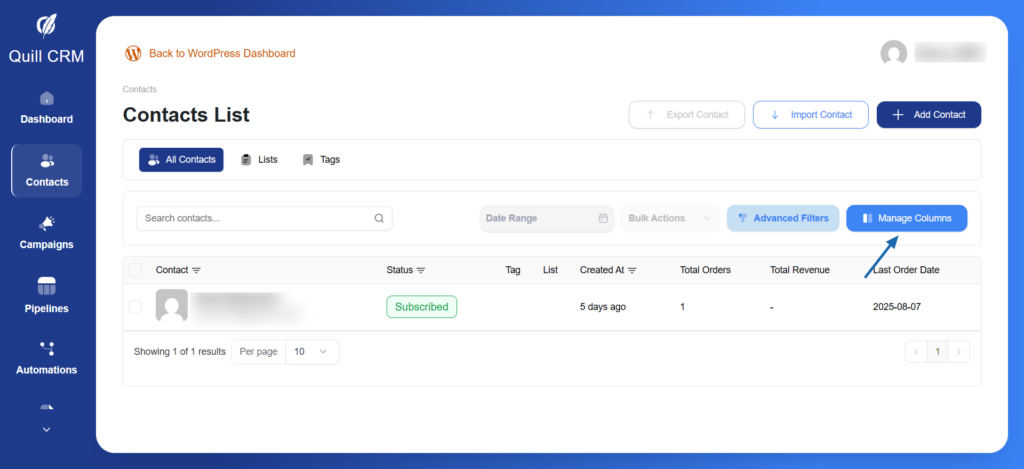
- Click the “Manage Columns” button in the toolbar
- In the popup, check or uncheck the columns you want to display
- Available columns include:
- Contact (always visible)
- Phone
- Country
- City
- Status
- Tags
- Lists
- Address 1
- Address 2
- State
- Zip
- Created At
- Total Orders (WooCommerce integration)
- Total Revenue (WooCommerce integration)
- Last Order Date (WooCommerce integration)
- Click “Submit” to apply your column selection
Your column preferences are saved automatically and will be retained when you return to the Contacts page.