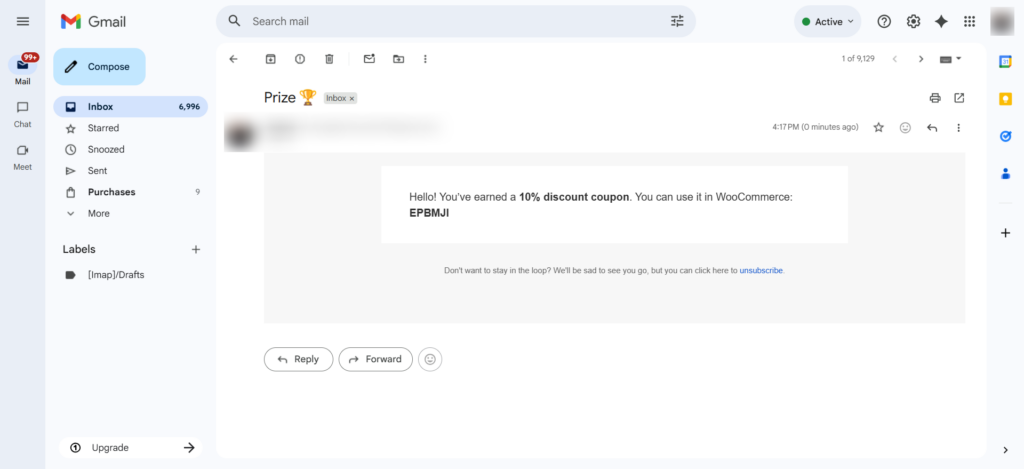
Lead scoring can be used in automations to define conditions and execute specific actions.
I will provide an example to show how lead scoring can be used in automations with conditions.
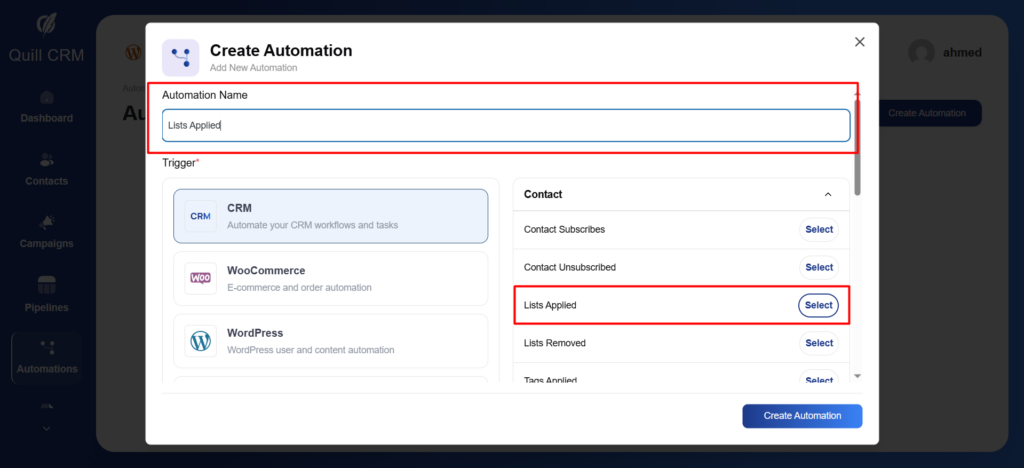
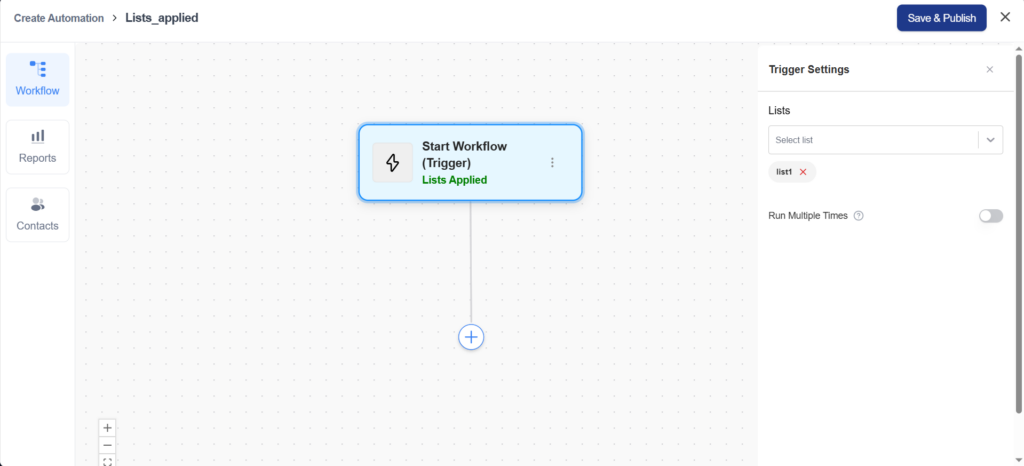
In this example, I will create a trigger called “List Applied.”
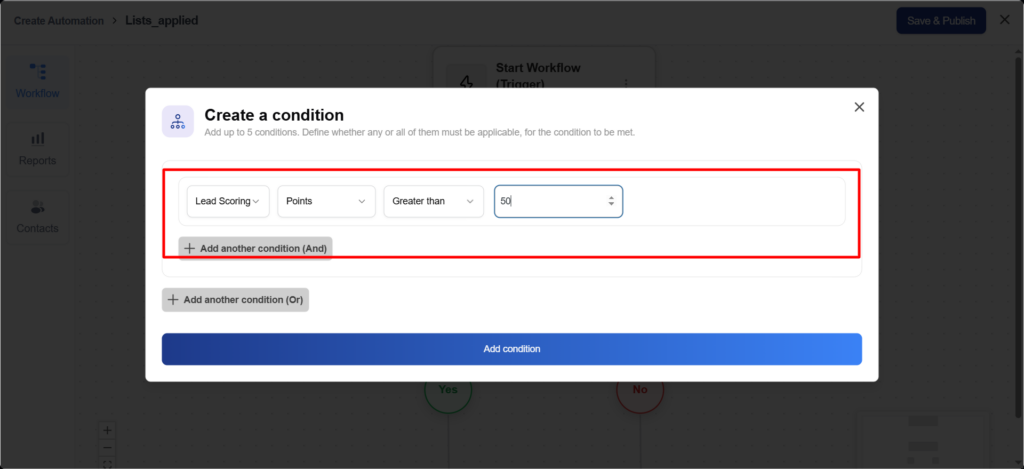
When a list is added to a specific contact, the automation will check whether the contact’s lead score is greater than 50.
If the condition is met, an email containing a coupon code will be sent to the contact, which can be used in WooCommerce.
1. Add trigger.
2. Configure the trigger.
3. Add a condition like this.
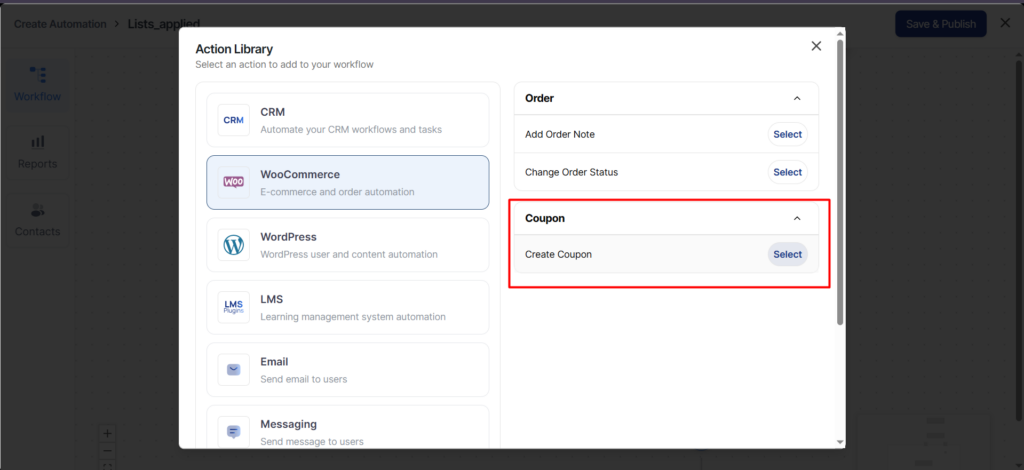
4. In the Yes branch for this condition, add an action called Create Coupon.
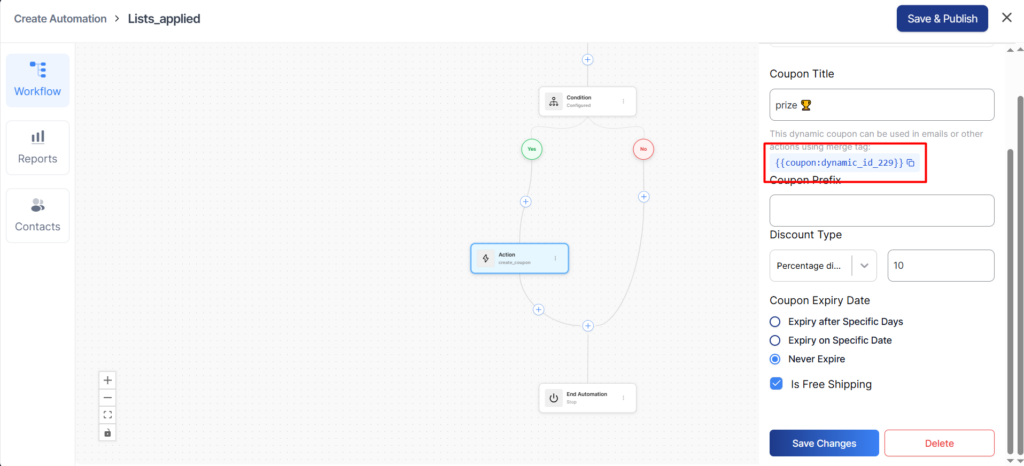
5. Configure the settings for the Create Coupon action. Click the icon to copy the coupon’s dynamic name.
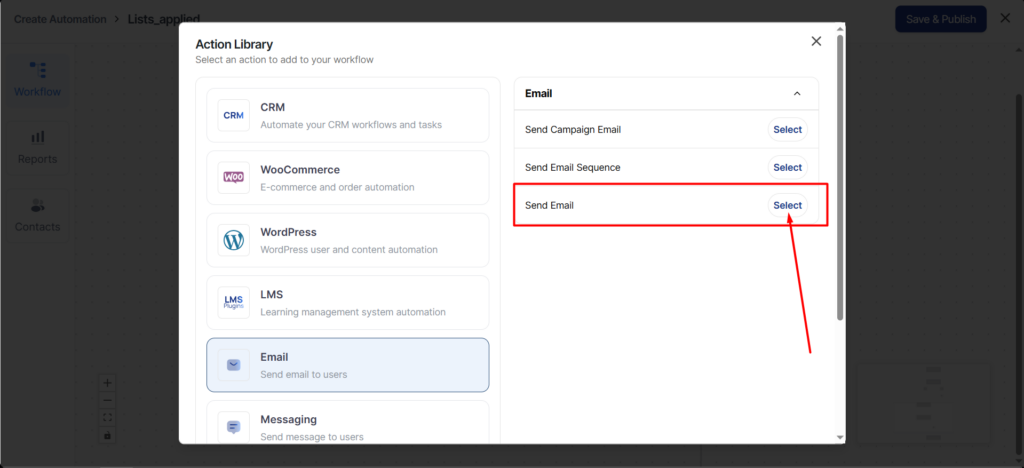
6. Add another action to send an email to this contact.
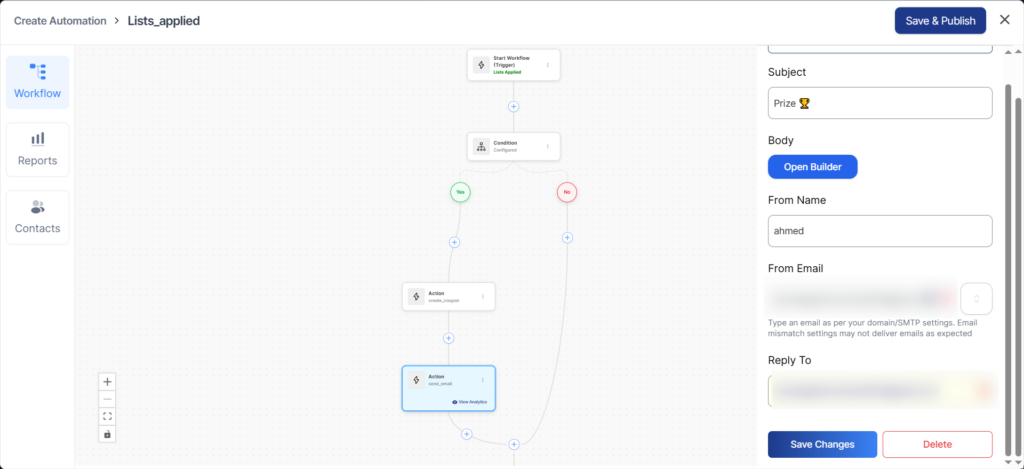
7. Configure the settings for the Send Email action.
After adding a contact, if their lead score is greater than 50, they will receive an email like this.