






















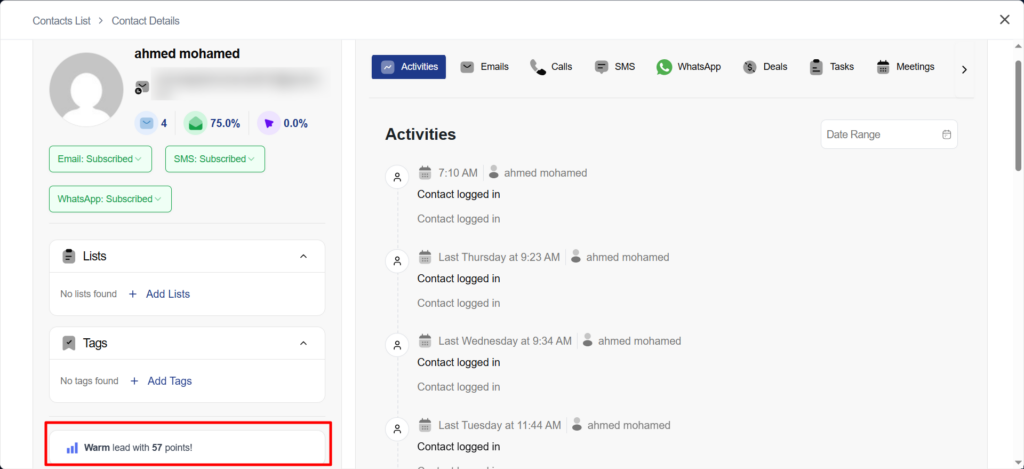
When you click on a contact, you can see its level and score, as shown below.
Lead Score Filters
Lead Score filters allow you to segment and target contacts based on their lead scoring data, such as score points or score level.
By filtering contacts using Lead Score, you can easily identify:
- Highly engaged contacts who are ready for sales outreach
- Warm leads who need nurturing
- Cold or inactive contacts who require re-engagement
Available Lead Score Filter Options
You can filter contacts by:
- Lead Score Points
Filter contacts based on their exact score value or a range of points
(e.g., a lead score greater than 50) - Lead Score Level
Filter contacts based on predefined score levels
(e.g., Cold, Warm, Hot)
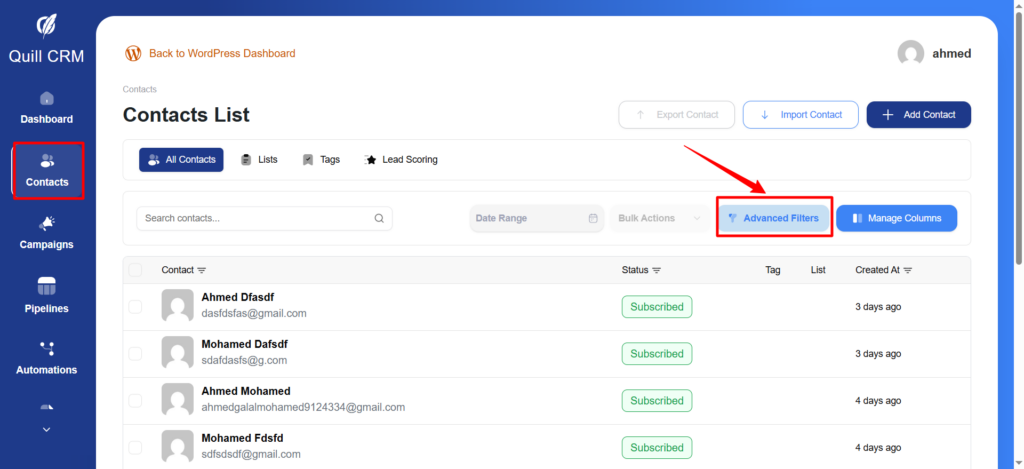
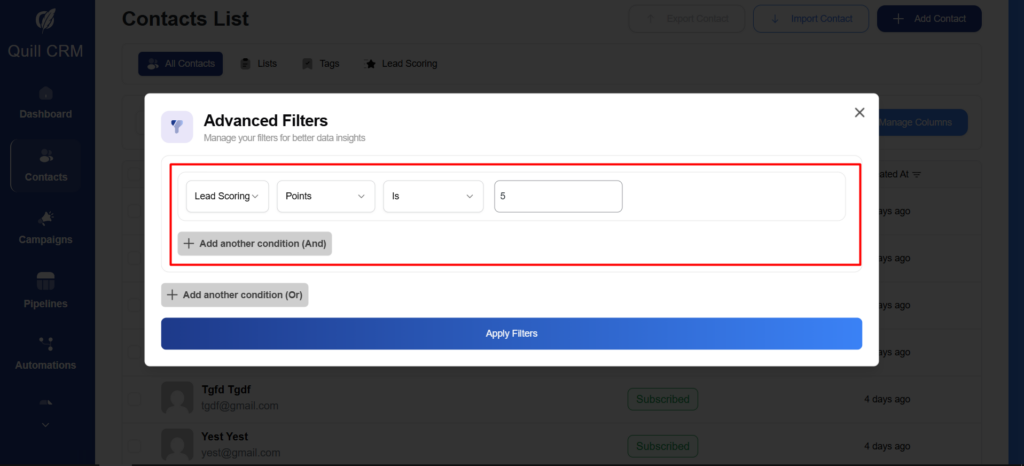
A pop-up window will appear like this.
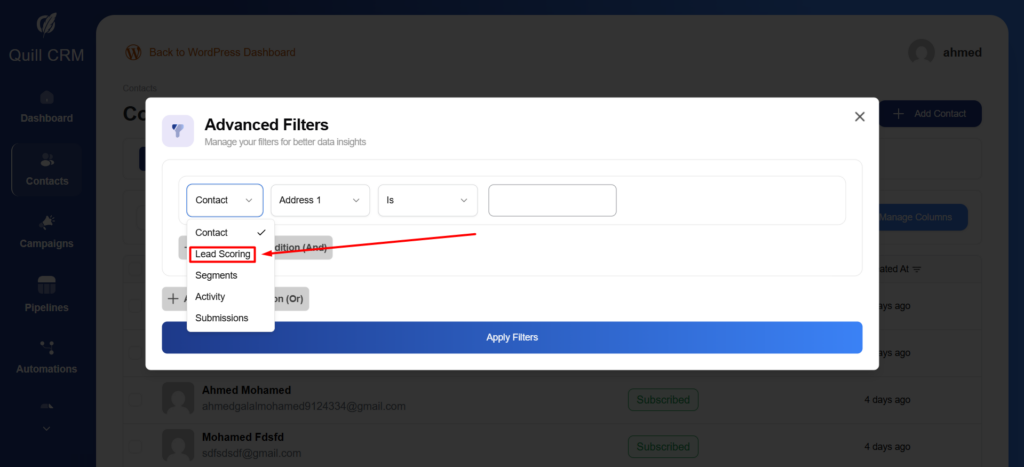
You can select multiple conditions to filter the contacts. For example, when using the level condition, you can choose from the level labels you created earlier.
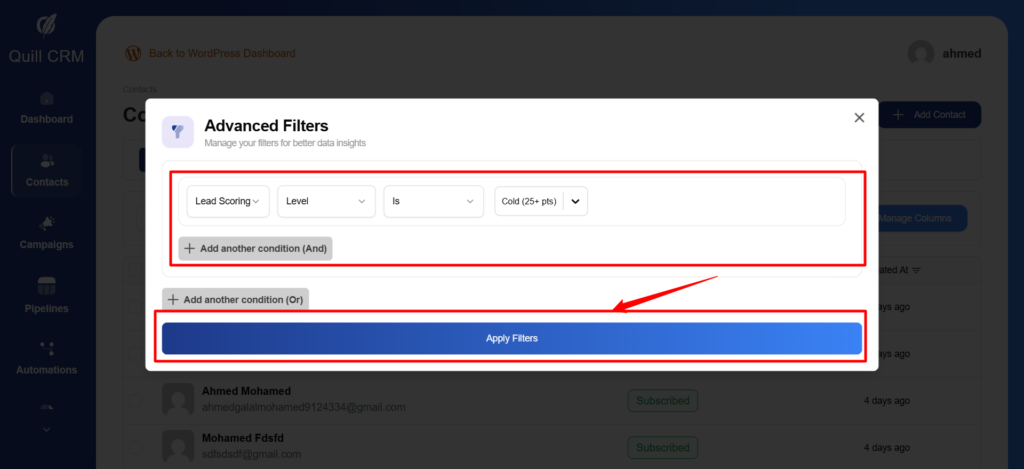
You can filter contacts based on their points.
Lead Score filters give you a powerful way to organize, prioritize, and act on your contacts based on real engagement and intent. By filtering contacts using score points or score levels, you can quickly identify who is ready for conversion, who needs further nurturing, and who requires re-engagement.
Using Lead Score filters ensures that your campaigns, automations, and sales efforts are always focused on the most relevant contacts, helping you work more efficiently and drive better results as your contact list grows.