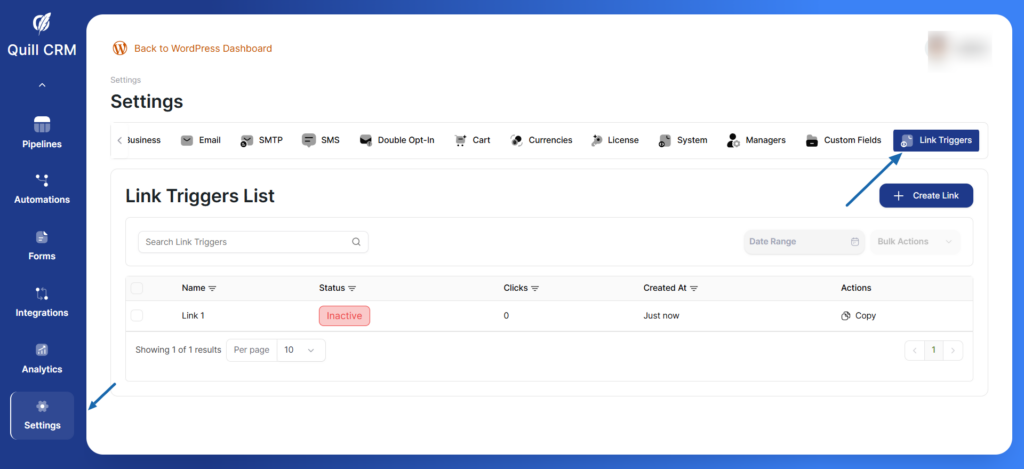
Link Triggers are powerful tracking links that allow you to monitor and automate actions when contacts click on specific URLs. When someone clicks a Link Trigger, you can automatically add them to lists, apply tags, remove tags, and redirect them to any destination – all while tracking click analytics.
Use Cases for Link Triggers
Link Triggers are perfect for:
- Interest tracking – Identify which contacts are interested in specific products or topics
- Email engagement – Track who clicks links in your email campaigns
- Event registration – Automatically segment contacts who sign up for events
- Content downloads – Tag contacts who download resources
- Product interest – Add contacts to specific lists based on product page visits
- Webinar attendance – Track and segment webinar participants
- Auto-login links – Create secure one-click login links for members
Accessing Link Triggers
- Log in to your Quill CRM dashboard
- Click Settings in the left sidebar
- Select the Link Triggers tab from the top navigation
- You’ll see the Link Triggers List with all your tracking links