The Deal Activity section displays a history of all actions and activities that have been performed inside this deal.
Here you can track everything that happened on the deal, such as Sent emails, added notes, logged calls, scheduled meetings, and Stage updates or field modifications.
This section helps you review the timeline of actions taken, so you always know what was done and when.
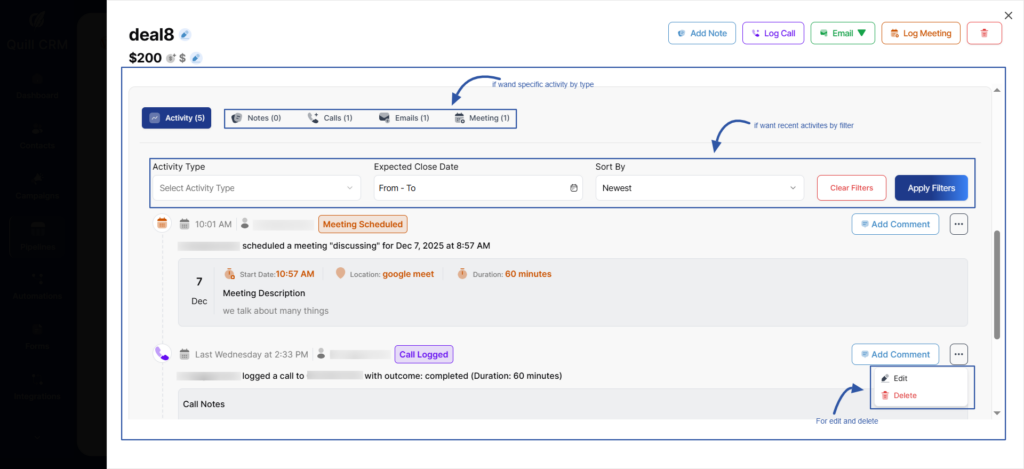
You can also edit activity or delete any existing activity if needed, giving you full control over the deal’s action history
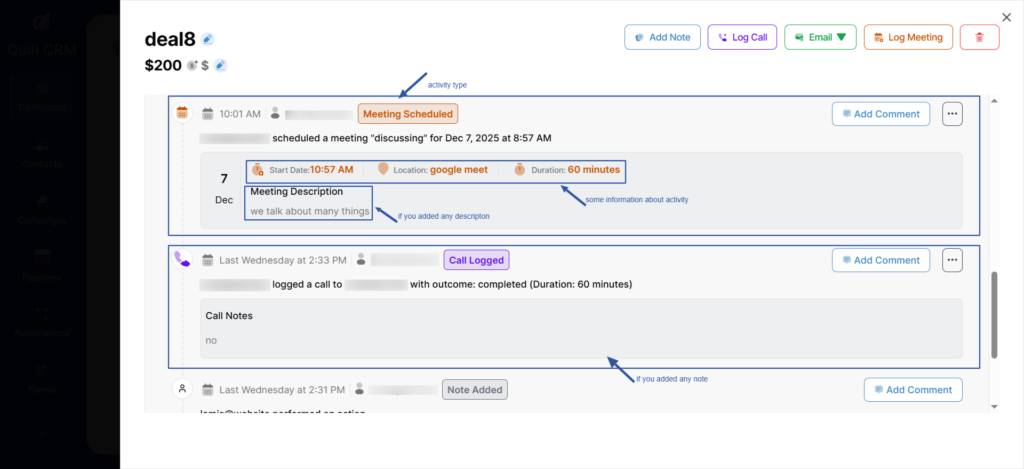
Each activity appears with detailed information to help you understand what happened exactly and when.
For every activity, you can view:
- Date & time of the action
- Owner/User who performed it
- Activity type (Note – Call – Meeting – Email – Task …etc)
- Details related to the activity
- For Calls: phone number and call information
- For Meetings: meeting subject, place/platform, start time
- For Notes: written notes or remarks added by the user
- For Emails: message information
- And any other activity type logged previously
In addition, you can view each activity type separately, for example, viewing all meetings only, all logged calls only, or notes alone, making it easy to track a specific action category when needed.
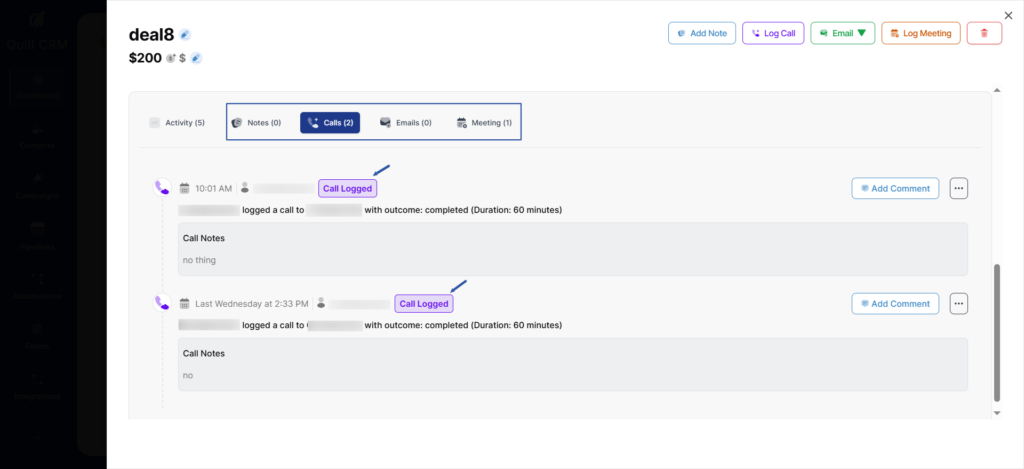
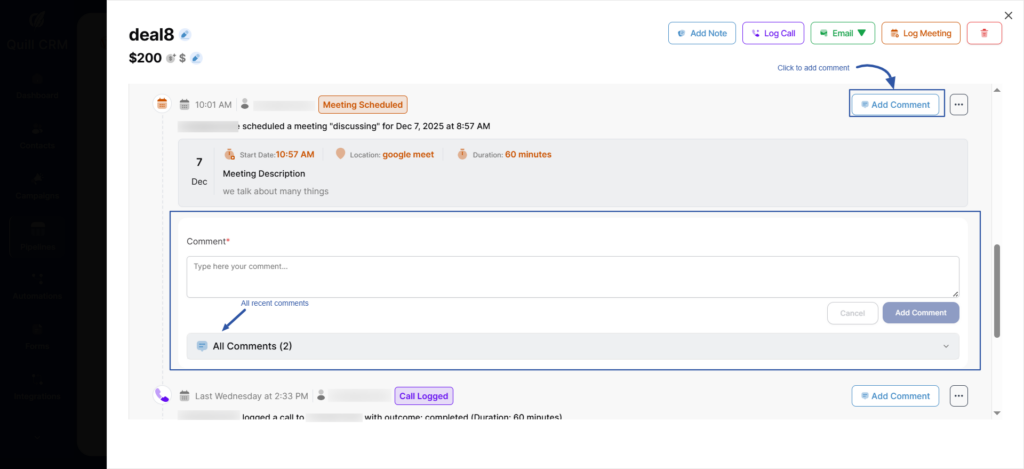
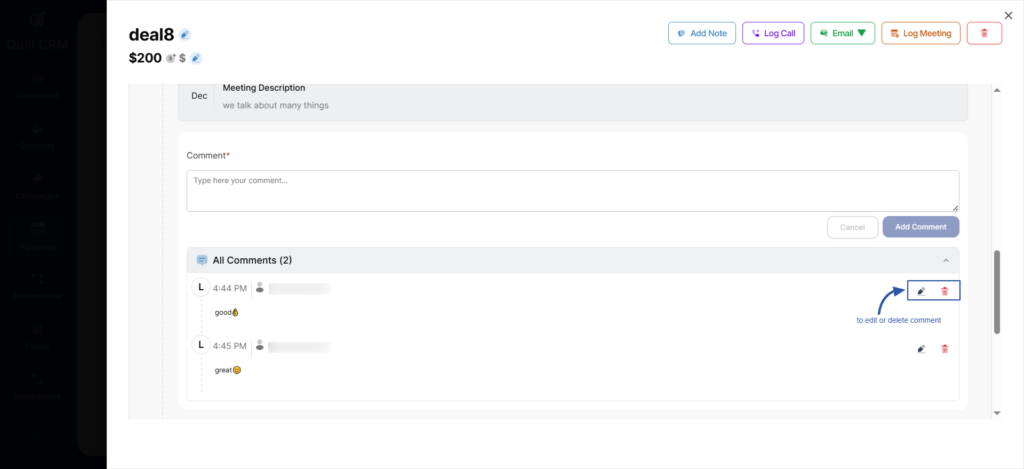
In addition, each activity supports comments.
You can:
- Add a comment on any activity
- View all previous comments related to it
- Edit or delete comments at any time