






















In this documentation, you’ll learn everything regarding how to receive data using webhooks in QuillCRM Automations.
How to Get a Webhook URL?
Here’s how you can use QuillCRM Automations to get the webhook URL.
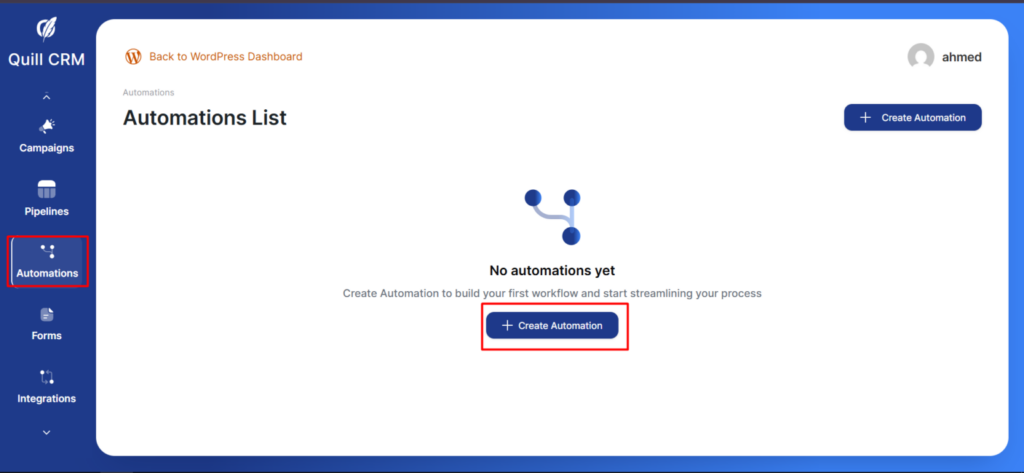
Step 1: Create a new automation
Go to Automations and click on Create Automation.
Now, select the event—Webhook received—in QuillCRM Automations.
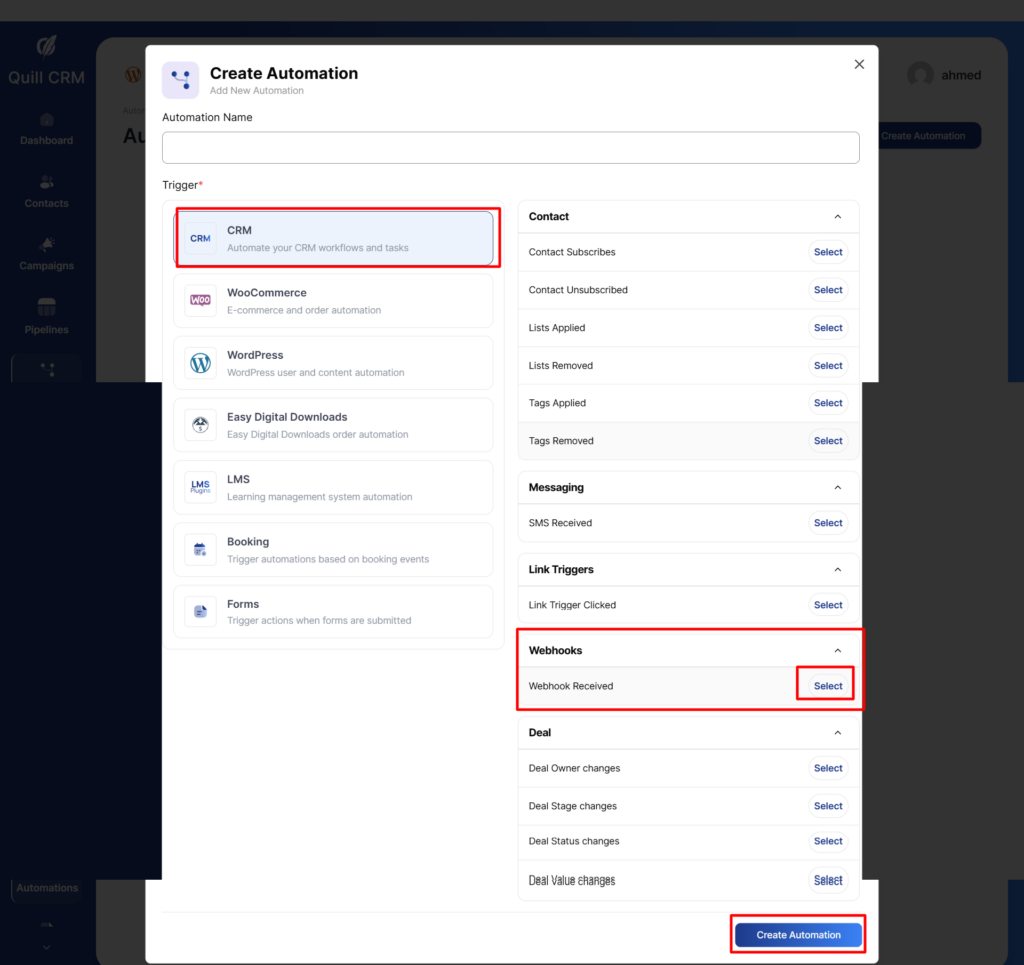
Step 3: Copy the custom webhook URL
Click on the trigger and copy this webhook URL.
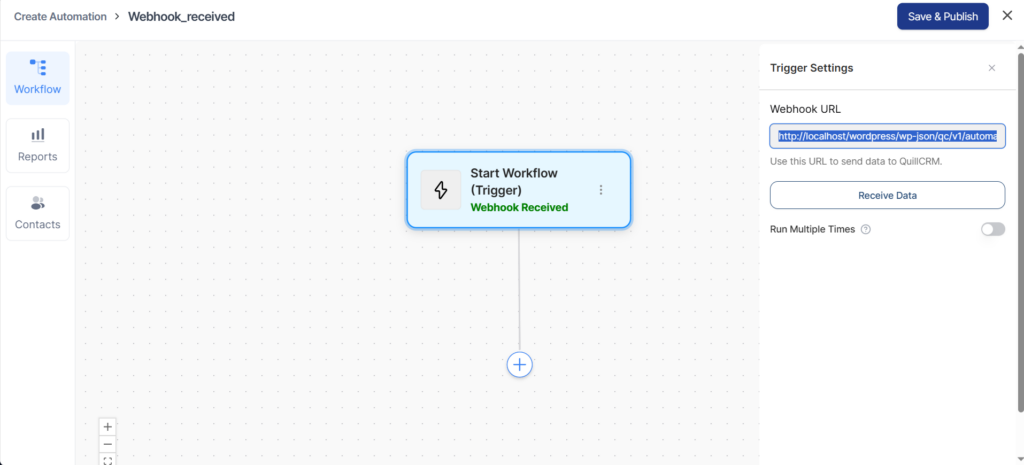
This is how you can get your webhook URL in QuillCRM Automations.
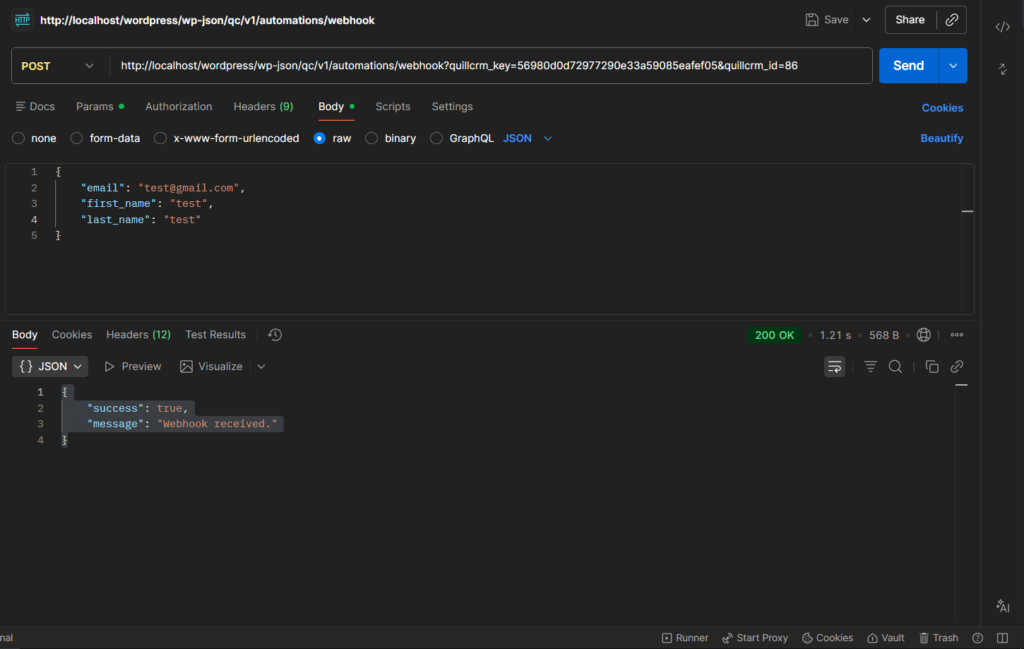
Copy the link, paste it into Postman as shown below, and then click the Send button.
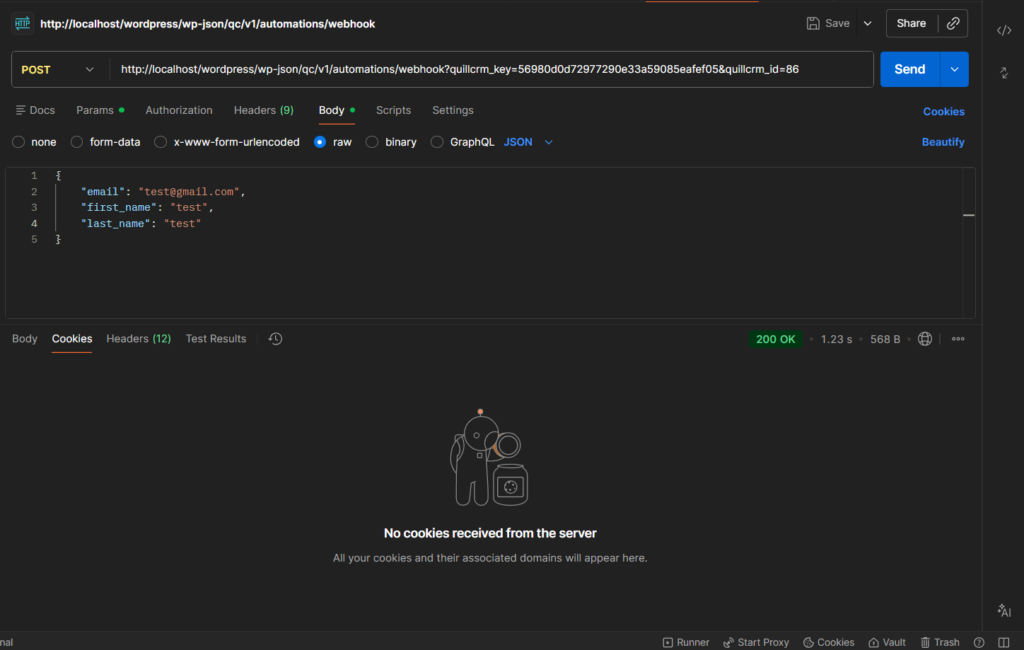
You see this response.
How to receive webhook data?
Once you’ve successfully sent the data through the webhook, here are the step-by-step instructions on how to receive it.
Step 1: Click on Receive Webhook
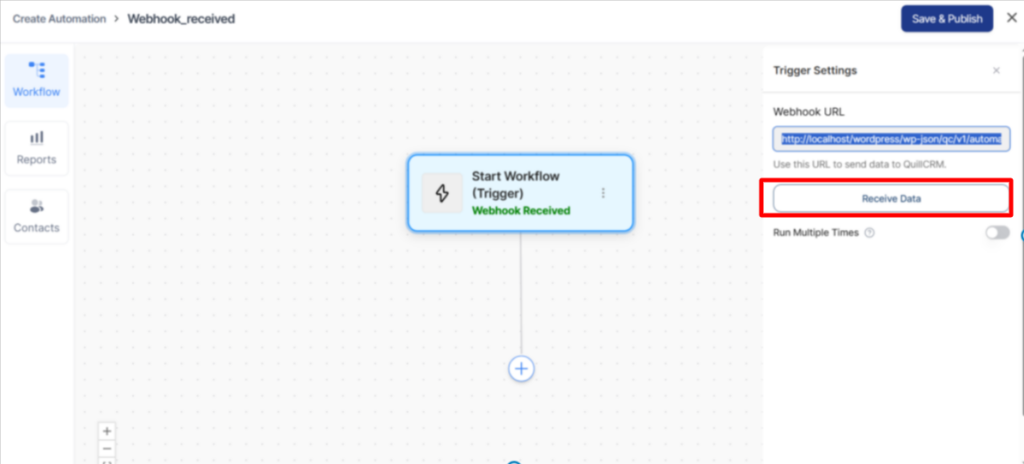
Your data will successfully be fetched here.
Step 2: Map your Email field
As you can see in this example, we have fetched three fields: Email, First Name, and Last Name of our customers.
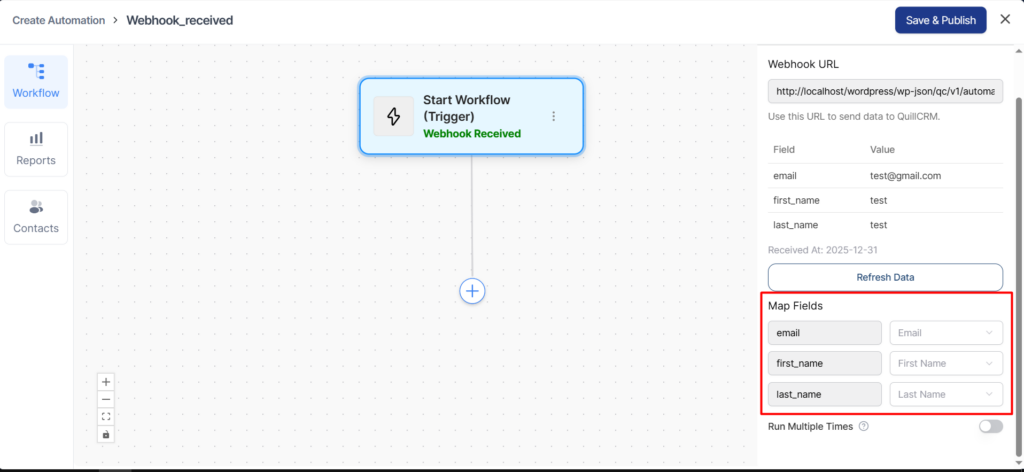
That’s it! You have successfully created a user on your source site from the webhook data received from another application.
This is how you can receive information from another application using QuillCRM Automations webhooks.