






















WooCommerce Subscriptions is an official WooCommerce plugin that allows you to create and manage products with recurring payments.
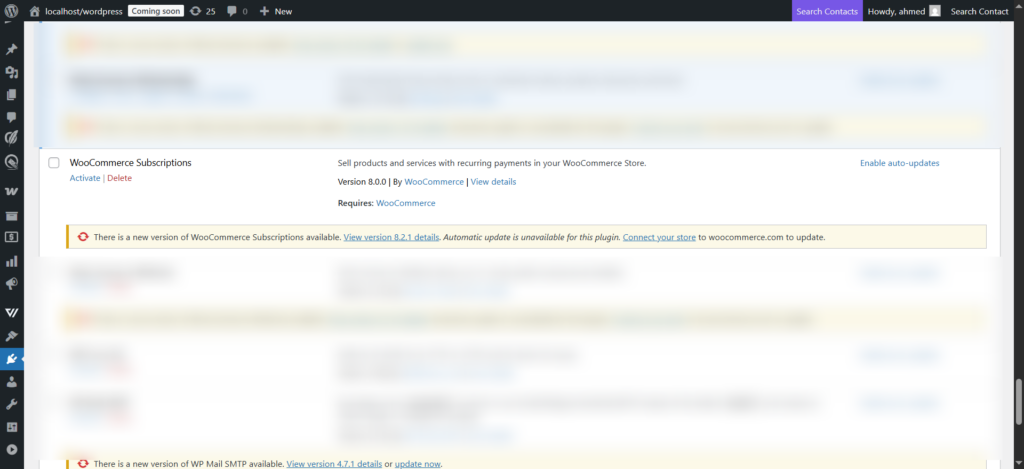
You must have WooCommerce subscriptions installed and activated in your store for the related triggers (or events) to show up in QuillCRM Automations.
Here are the triggers that you will see:
First download the plugin and install it, then activate this plugin.
Triggers
Here are the triggers associated with WooCommerce Subscriptions:
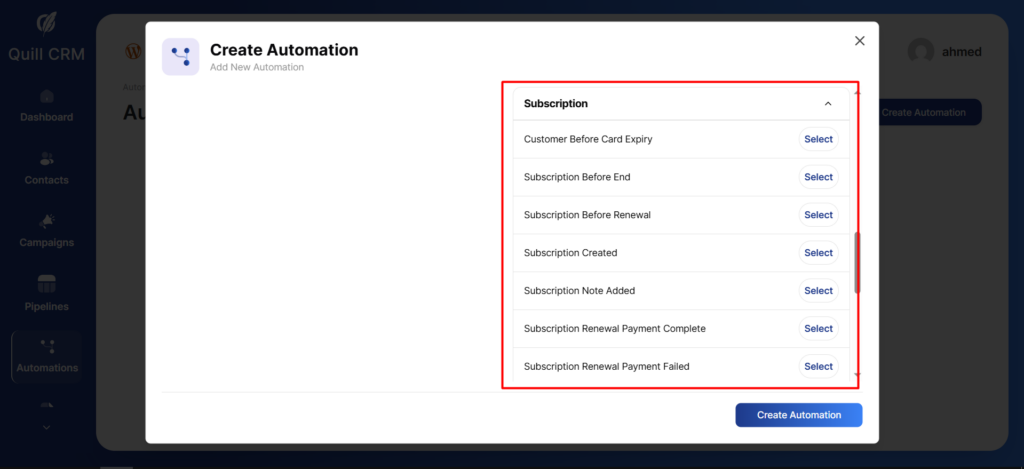
Customer Before Card Expiry:
Triggered before a customer’s saved payment card expires, allowing you to notify the customer to update their payment details.
Subscription Before End:
Triggered a specified number of days before a subscription is scheduled to end or expire.
Subscription Before Renewal:
Triggered a specified number of days before a subscription is due for renewal.
Subscription Created:
Triggered when a new subscription is successfully created.
Subscription Note Added:
Triggered when a new note is added to a subscription, either by an administrator or the system.
Subscription Renewal Payment Complete:
Triggered when a subscription renewal payment is successfully completed.
Subscription Renewal Payment Failed:
Triggered when a subscription renewal payment attempt fails.
Subscription Status Changed:
Triggered whenever the status of a subscription changes (for example: active, on-hold, cancelled).
Subscription Trial End:
Triggered when a subscription’s trial period is about to end or has ended, depending on system settings.
Rules
Set Conditional Action to set up rules for your automated sequences.
Here are some of the rules you get with WooCommerce Subscriptions:
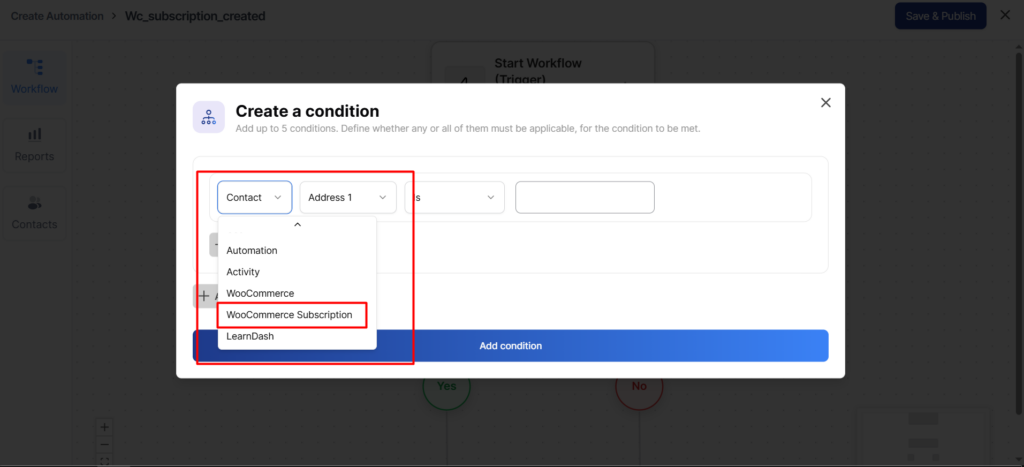
Here are some WooCommerce ٍsubscription-specific rules that you can use:
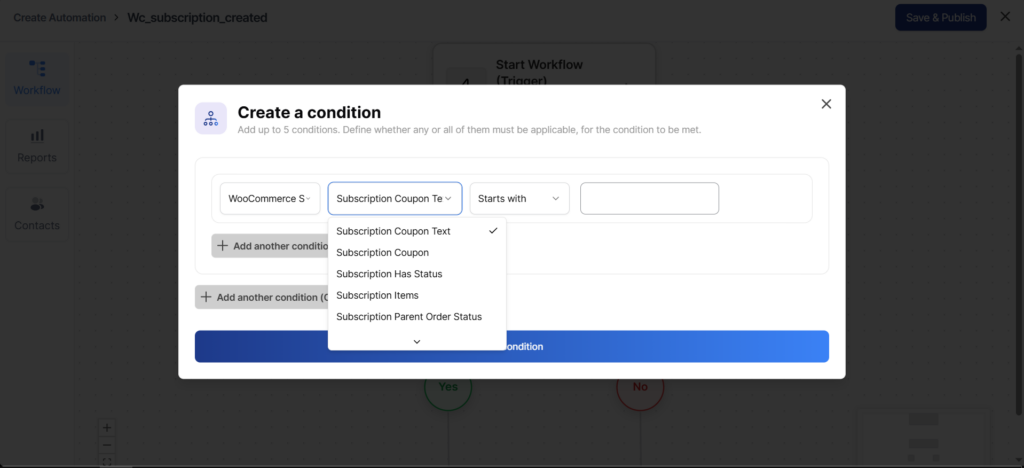
Subscription Status: Set up rules based on the subscription status.
Subscription Total: Take conditional actions based on the subscription total revenue status.
Subscription Parent Order Status: Set up rules based on the subscription status of the parent order.
Subscription Items: Set up rules based on the subscription items.
Subscription Payment Gateway: Set up rules on the basis of the subscription payment gateway.
Subscription Coupon: Take triggered conditional actions based on the subscription coupon.
Subscription Coupon Text: Set up rules based on the subscription coupon text.
Merge Tags
Club useful merge tags with your subscription automations to make the content personalized and relevant for the users.
Here’s the list of WooCommerce Subscription-specific merge tags:
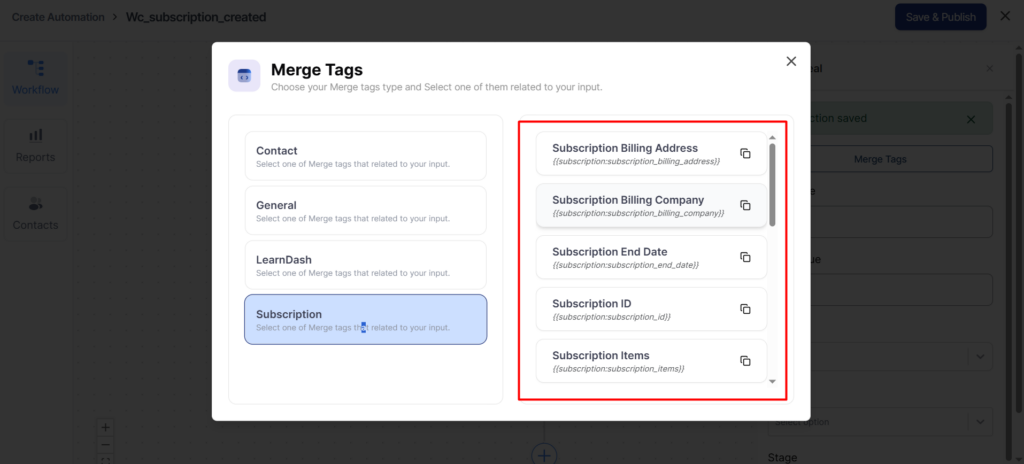
Subscription Billing Address
Outputs the full billing address associated with the subscription.
Merge Tag: {{subscription:subscription_billing_address}}
Subscription Billing Company
Outputs the billing company name associated with the subscription, if available.
Merge Tag: {{subscription:subscription_billing_company}}
Subscription End Date
Outputs the date when the subscription is scheduled to end or expire.
Merge Tag: {{subscription:subscription_end_date}}
Subscription ID
Outputs the unique ID of the subscription.
Merge Tag: {{subscription:subscription_id}}
Subscription Items
Outputs a list of products included in the subscription.
Merge Tag: {{subscription:subscription_items}}
Subscription Last Payment Date
Outputs the date of the most recent successful subscription payment.
Merge Tag: {{subscription:subscription_last_payment_date}}
Subscription Next Payment Date
Outputs the scheduled date of the next subscription renewal payment.
Merge Tag: {{subscription:subscription_next_payment_date}}
Subscription Payment Method
Outputs the payment method used for the subscription (for example: Stripe, PayPal).
Merge Tag: {{subscription:subscription_payment_method}}
Subscription Shipping Address
Outputs the full shipping address associated with the subscription.
Merge Tag: {{subscription:subscription_shipping_address}}
Subscription Start Date
Outputs the date when the subscription started.
Merge Tag: {{subscription:subscription_start_date}}
Subscription Status
Outputs the current status of the subscription (for example: active, on-hold, cancelled, expired).
Merge Tag: {{subscription:subscription_status}}
Subscription Total
Outputs the total recurring amount for the subscription.
Merge Tag: {{subscription:subscription_total}}
Subscription Trial End Date
Outputs the date when the subscription trial period ends.
Merge Tag: {{subscription:subscription_trial_end_date}}
Subscription View URL
Outputs the direct URL where the customer can view the subscription details.
Merge Tag: {{subscription:subscription_view_url}}
This is what QuillCRM Automations offers with WooCommerce Subscriptions.