Review Your Campaign
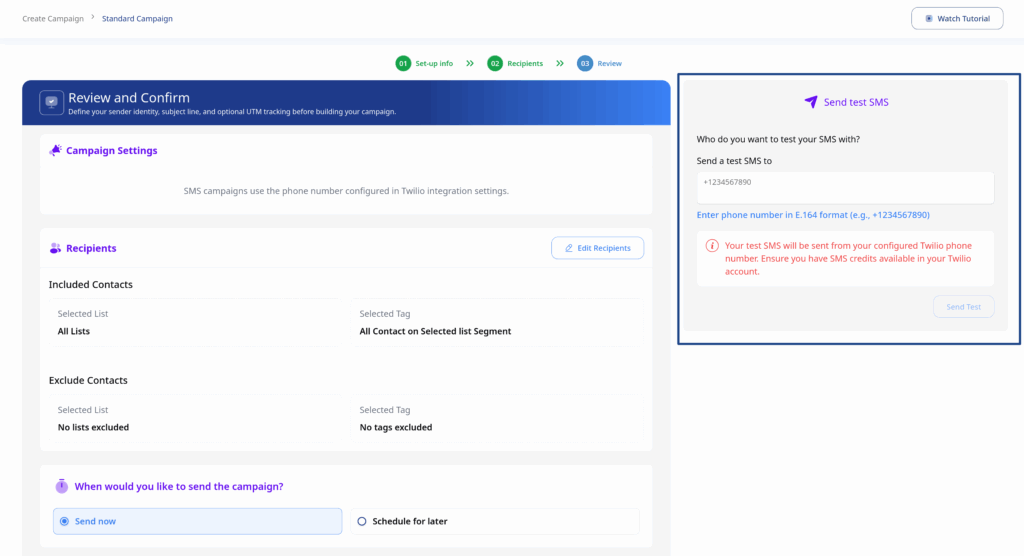
Before sending, review all campaign settings:
- Campaign Settings – Verify sender info and subject line
- Recipients – Confirm your target audience
- Content – Preview your email or SMS
Send Options
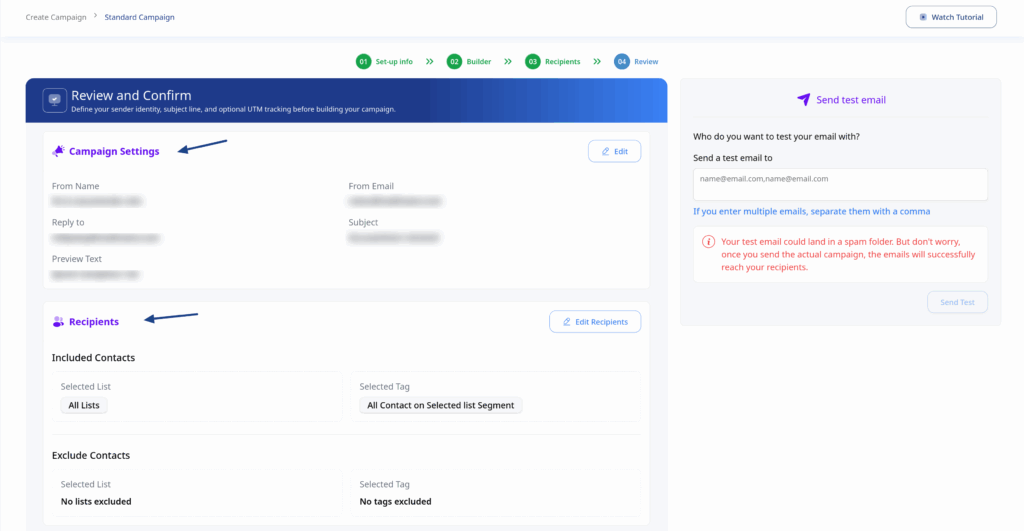
Send Now
Immediately begin sending your campaign:
- Select Send Now
- Click Send Campaign Now
- Your campaign will begin processing
Schedule for Later
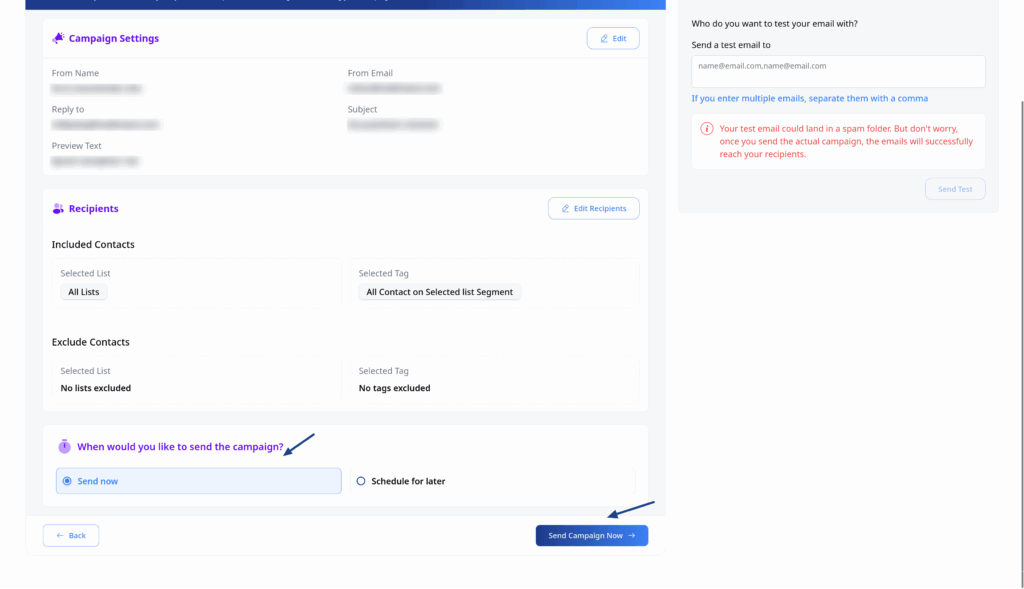
Send your campaign at a specific time:
- Select Schedule
- Choose date and time
- Select timezone option:
- Your Timezone – Send at specified time in your timezone
- Subscriber Timezone – Send at specified time in each contact’s timezone
- Click Create Campaign
Test Before Sending
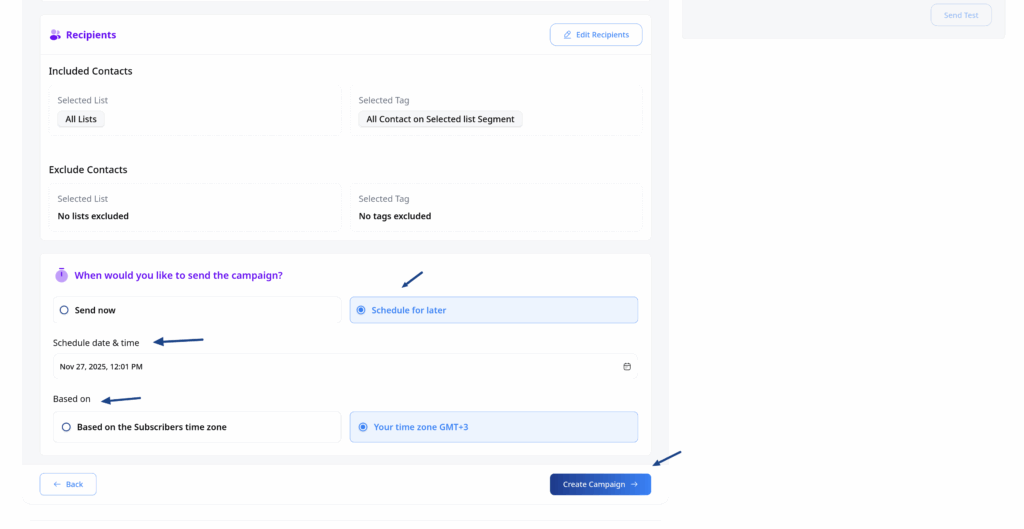
Always send a test before your actual campaign:
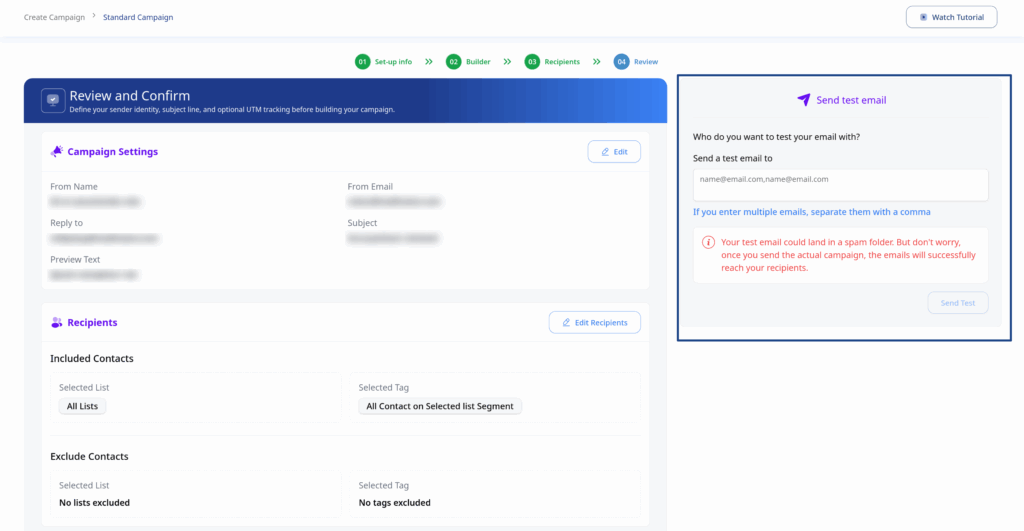
For Email:
- Find the Send Test Email card
- Enter a test email address
- Click Send Test
For SMS:
- Find the Send Test SMS card
- Enter a test phone number
- Click Send Test