






















If you are using FluentCRM on your WordPress site, Quill CRM can import all your FluentCRM subscribers directly — including their lists, tags, custom fields, and subscription status. No API keys are needed since FluentCRM runs on the same WordPress installation.
Prerequisites
- The FluentCRM plugin must be installed and active on the same WordPress site as Quill CRM.
- FluentCRM must have at least one subscriber in its database.
If FluentCRM is not active, this import source will not appear in the source selection list.
How to Import
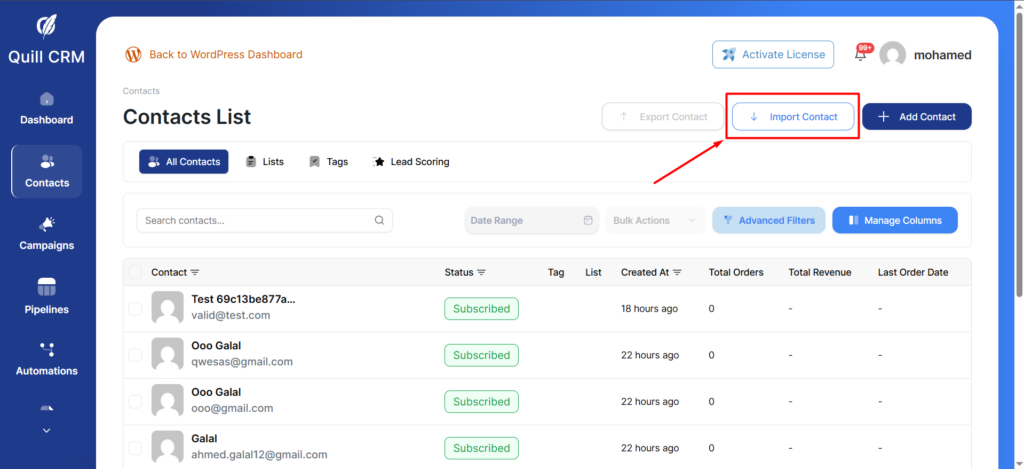
- Go to Quill CRM → Contacts and click “Import”.
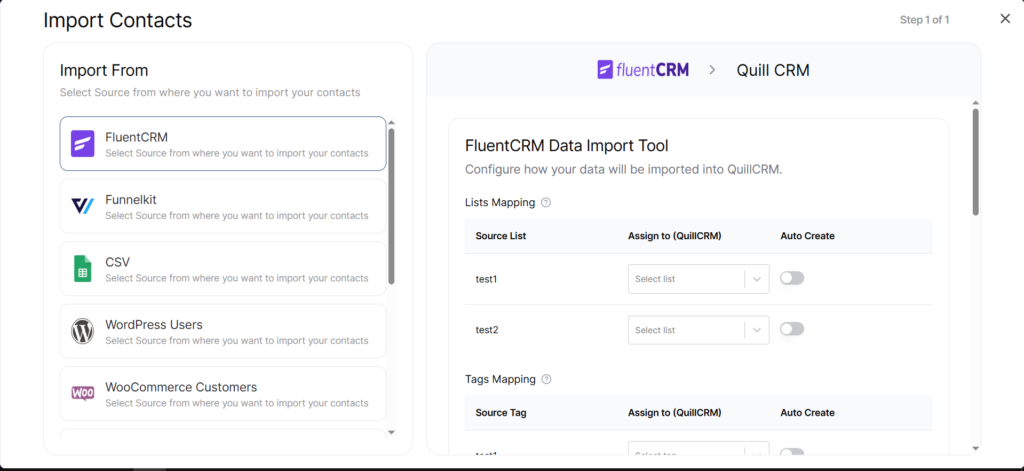
- Select “FluentCRM” from the source list. Quill CRM will automatically connect to your FluentCRM database and fetch subscriber data.
- Configure your field mapping (see below).
- Set your Contact Profile options (lists, tags, status, update existing).
- Click “Import” to start.
What Gets Imported
| FluentCRM Field | Quill CRM Field |
|---|---|
| first_name | First Name |
| last_name | Last Name |
| phone | Phone |
| address_line_1 | Address 1 |
| address_line_2 | Address 2 |
| city | City |
| state | State |
| country | Country |
| postal_code | Zip |
Status Mapping
FluentCRM subscriber statuses are mapped to Quill CRM email statuses as follows:
- subscribed → Subscribed
- unsubscribed → Unsubscribed
- pending → Unverified
Lists and Tags
FluentCRM lists and tags are imported and can be mapped to Quill CRM lists and tags. For each FluentCRM list or tag, you can:
- Assign it to an existing Quill CRM list/tag.
- Enable “Auto-create” to create matching lists/tags in Quill CRM automatically.
Custom Fields
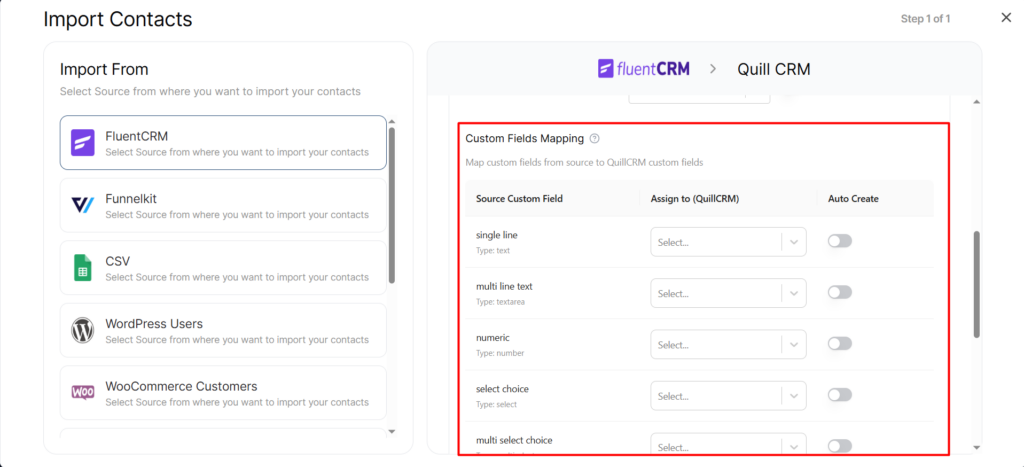
If you have custom fields in FluentCRM, they appear in the Custom Fields Mapping section. You can map each FluentCRM custom field to an existing Quill CRM custom field or auto-create new ones. Field types are automatically matched (text, number, date, etc.).
Duplicate Handling
Contacts are matched by email address. If a FluentCRM subscriber already exists in Quill CRM:
- Update Existing enabled: The existing contact is updated with FluentCRM data.
- Update Existing disabled: The contact is skipped.