






















Powerful Automated Workflows + New Design = QuillCRM Automations.
With this automation builder, you have five nodes to create workflows customized to your use case:
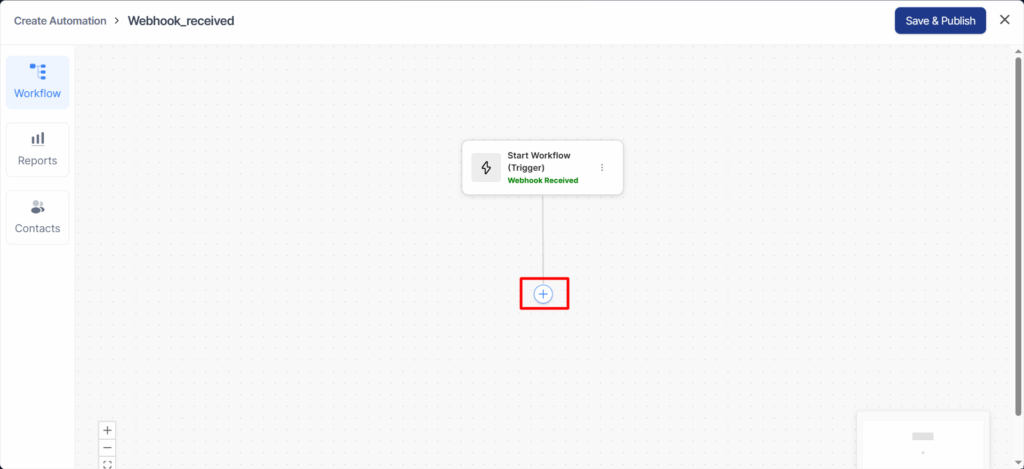
This pop-up window will appear when you click the ‘+’ circle button.
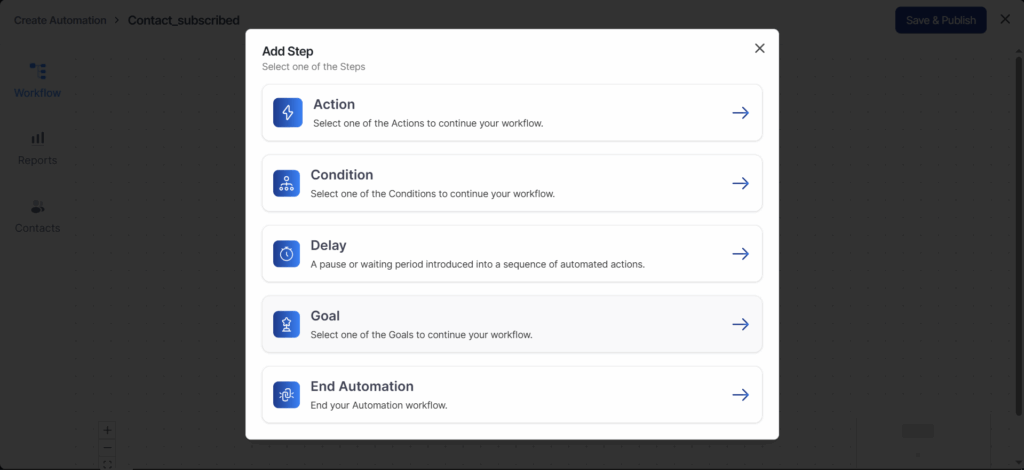
Clicking on the (+) icon will give you six nodes to choose from: Action, Delay, Condition, Goal, or End Automation.
- Action—Specify a direct action to be performed when the event gets triggered
- Delay—Set a specific delay for particular actions
- Condition—Add conditional actions under if-then-else statements to your workflow
- Goal—Specify an end objective of your automation
- End Automation—Directs to end the automation
Configuring Your Sequences
If you want to configure any nodes of your sequence, i.e., actions, triggers, delays, goals, etc., just click on the respective sequence.
For example, let’s configure the order created – per product trigger:
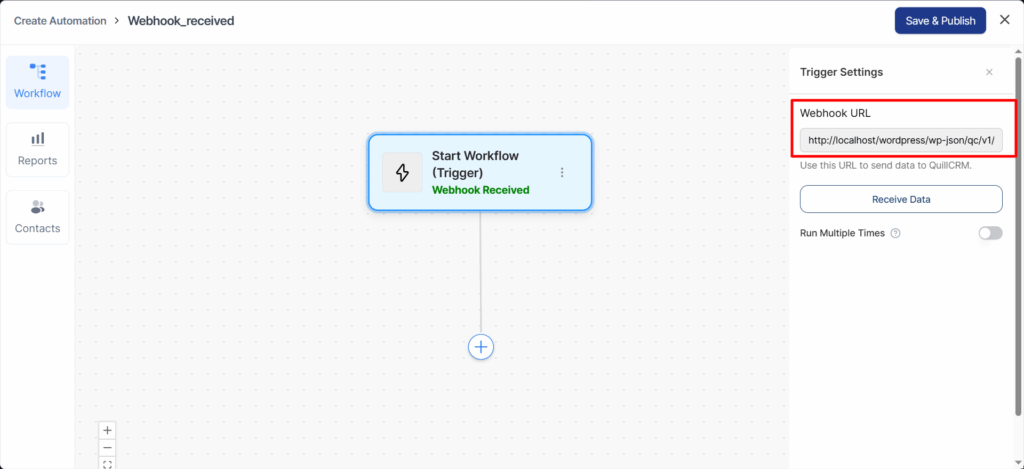
You can even set configurations in your actions, delays, goals, and conditions as well.
Once you’re done, click on the Save Changes button to lock all the changes.
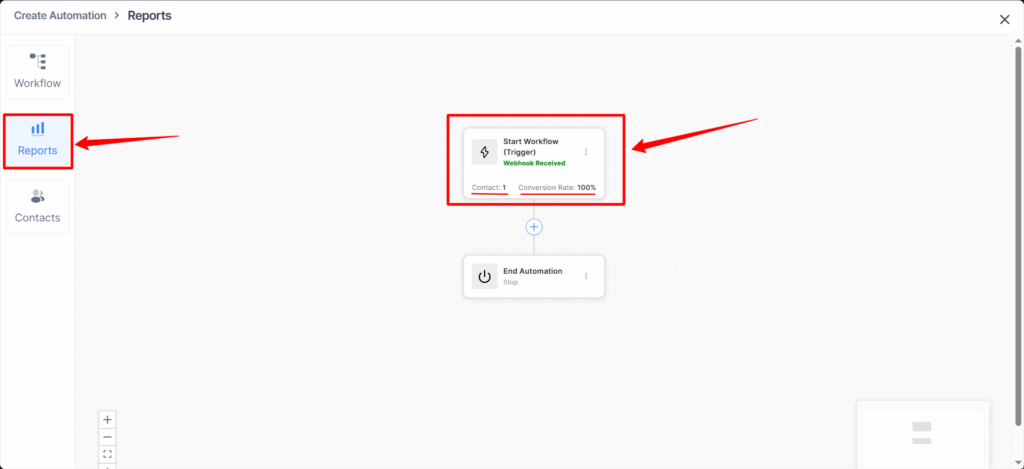
In the Reports tab, you can see how many contacts passed through each node or step, along with the conversion rate.
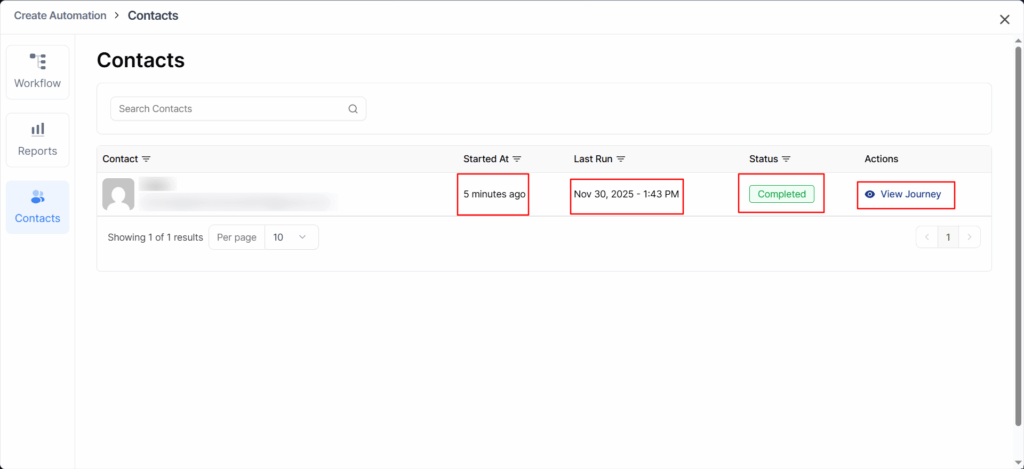
In the Contacts tab, you can view all contacts associated with this automation along with key details such as:
- Started At: The date and time the contact first entered the automation.
- Last Run: The most recent time the automation executed for that contact.
- Status: The current progress or state of the contact within the automation (e.g., Completed, Pending, Failed).
- Actions: Quick actions you can take, such as viewing the contact’s full journey through the automation.
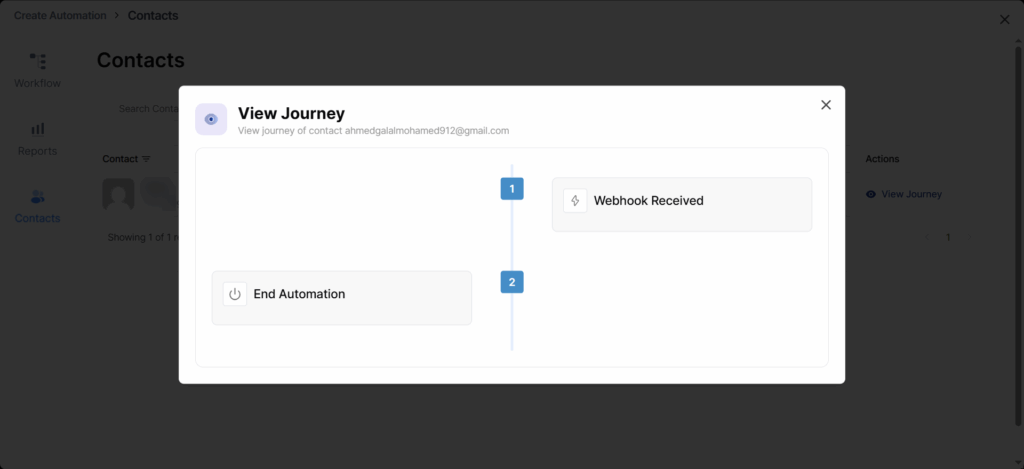
This pop-up window will appear when you click the View Journey button in the Actions table.
You will see all the steps that were executed during this contact’s journey through the flow.
Deleting the Node
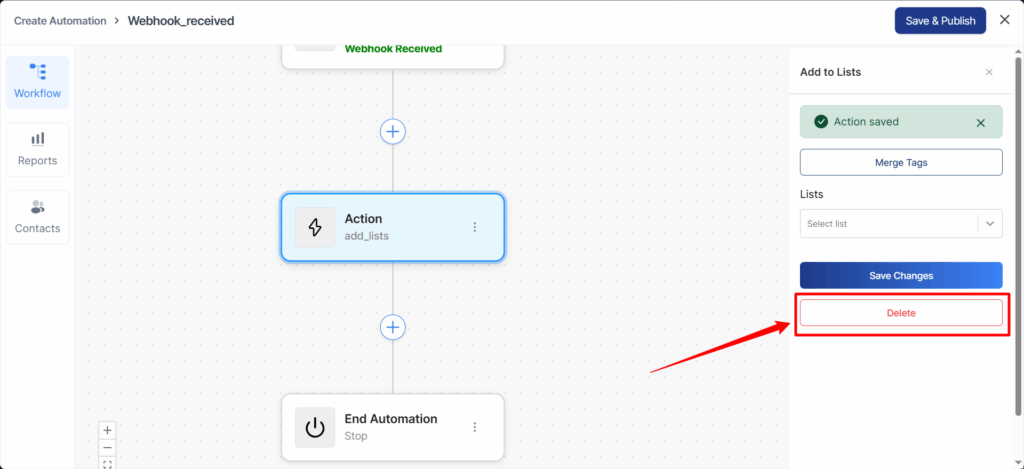
If you need to delete a node, click on it and then select the Delete button.
That’s it! This is all about configuring and editing the steps on the workflow in FunnelKit Automations’s next-gen automation builder.