






















The next-gen automation builder has the Analytics section to view the performance metrics of respective automations.
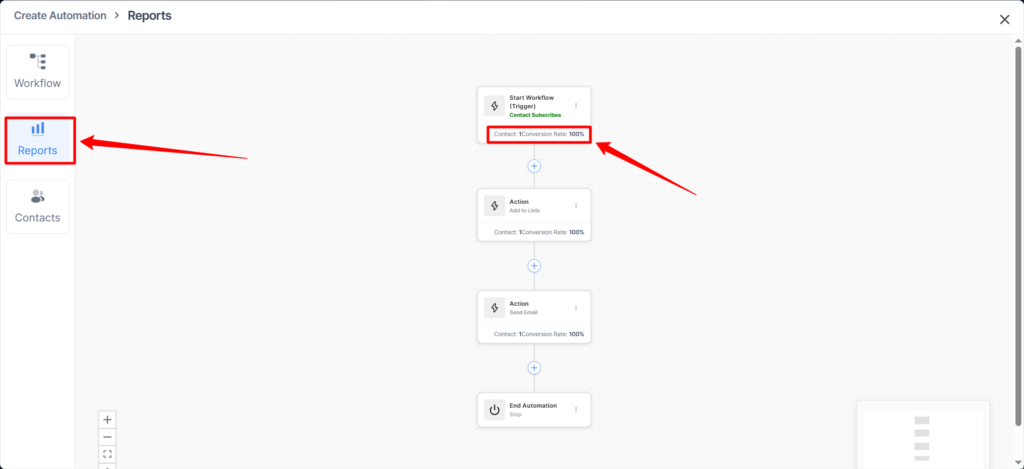
You will have Reports tabs.
See in any step the contact count and conversation rate.
- contact count: The number of contacts that passed through a specific step in the automation.
- conversation rate: The percentage of total contacts who entered the automation and successfully reached this step.
Example
If:
- Total contacts entered automation = 100
- Contacts that passed Step A = 65
Then:
- Contact Count: 65
- Conversion Rate: (65 ÷ 100) × 100 = 65%
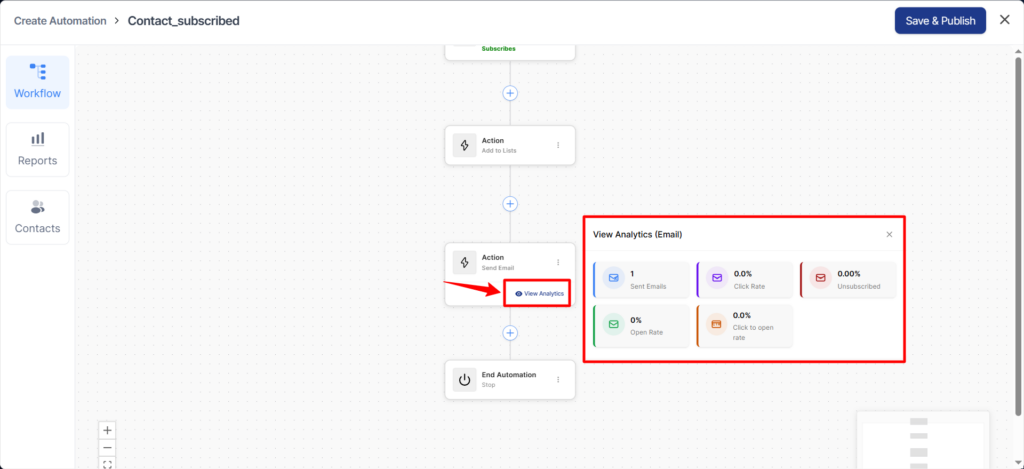
Additionally, each step has email analytics when the step type is Send Email, allowing you to track the performance of that email step.
That’s it! This is all about the Analytics section in an automation.