






















Creating a New Group
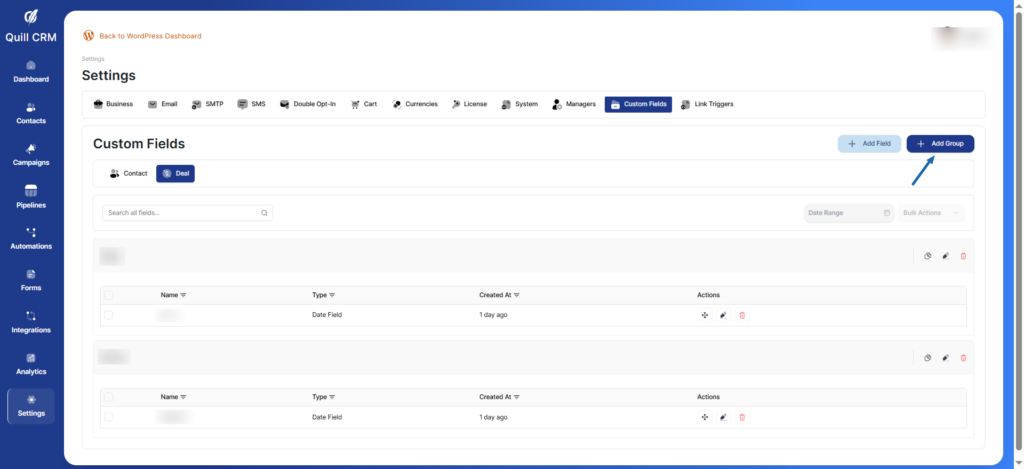
- Click “Add Group” button
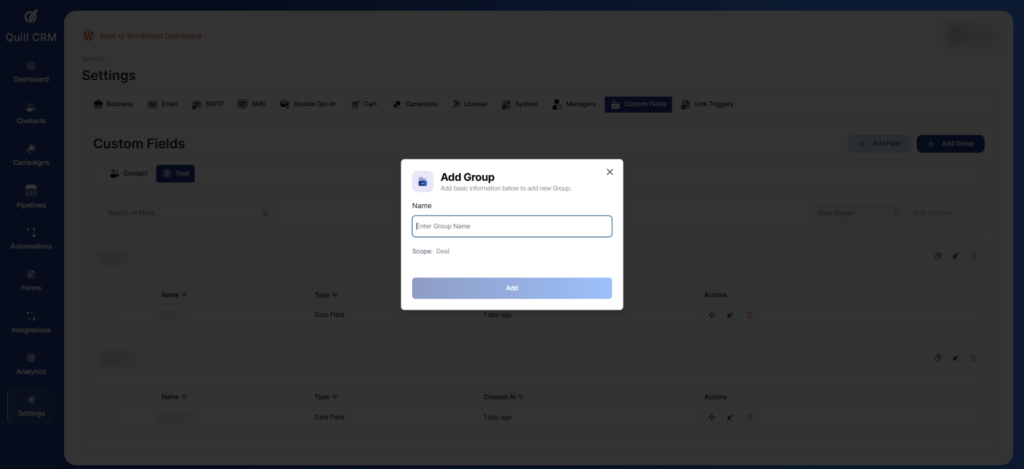
- Enter a group name in the modal
- The scope (Contact or Deal) is automatically set based on your current tab
- Click “Add” to create the group
Adding Custom Fields
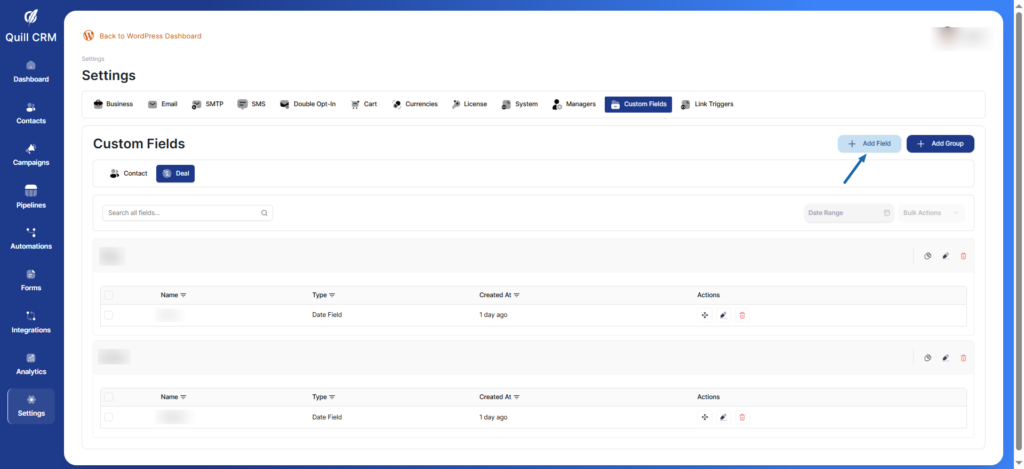
- Click “Add Field” button
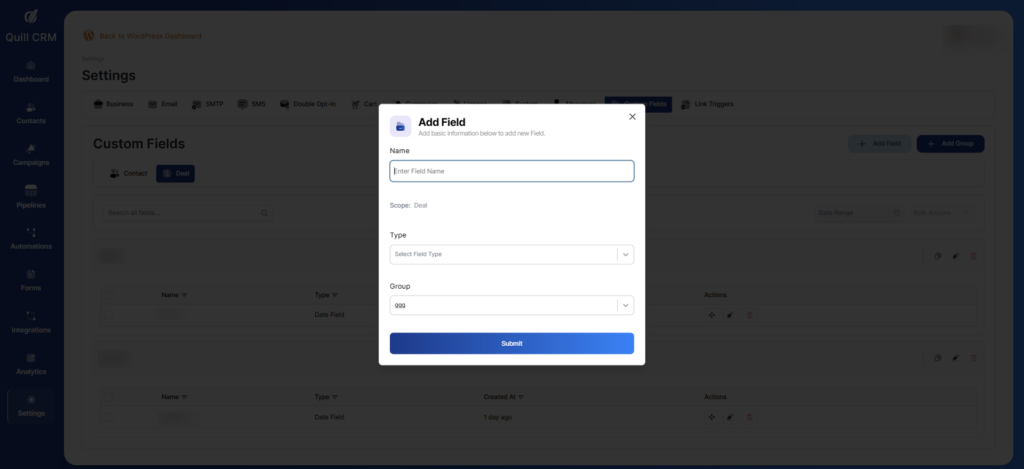
- Fill in the field details:
- Name: Enter the field name
- Type: Select from dropdown (Date Field, Text Field, Number Field, etc.)
- Group: Select which group this field belongs to
- Click “Submit” to create the field
Field Types Available
- Date Field
- Text Field
- Number Field
- Email Field
- Phone Field
- URL Field
- Textarea
- Select
- Multiselect
- Radio Buttons
- Checkboxes
Note: You can not add any field unless there is at least one group.